MC-X1 Connectivity and Configuration
Loading GNSS Firmware
12
Excavator Indicate System P/N: 1022461-01
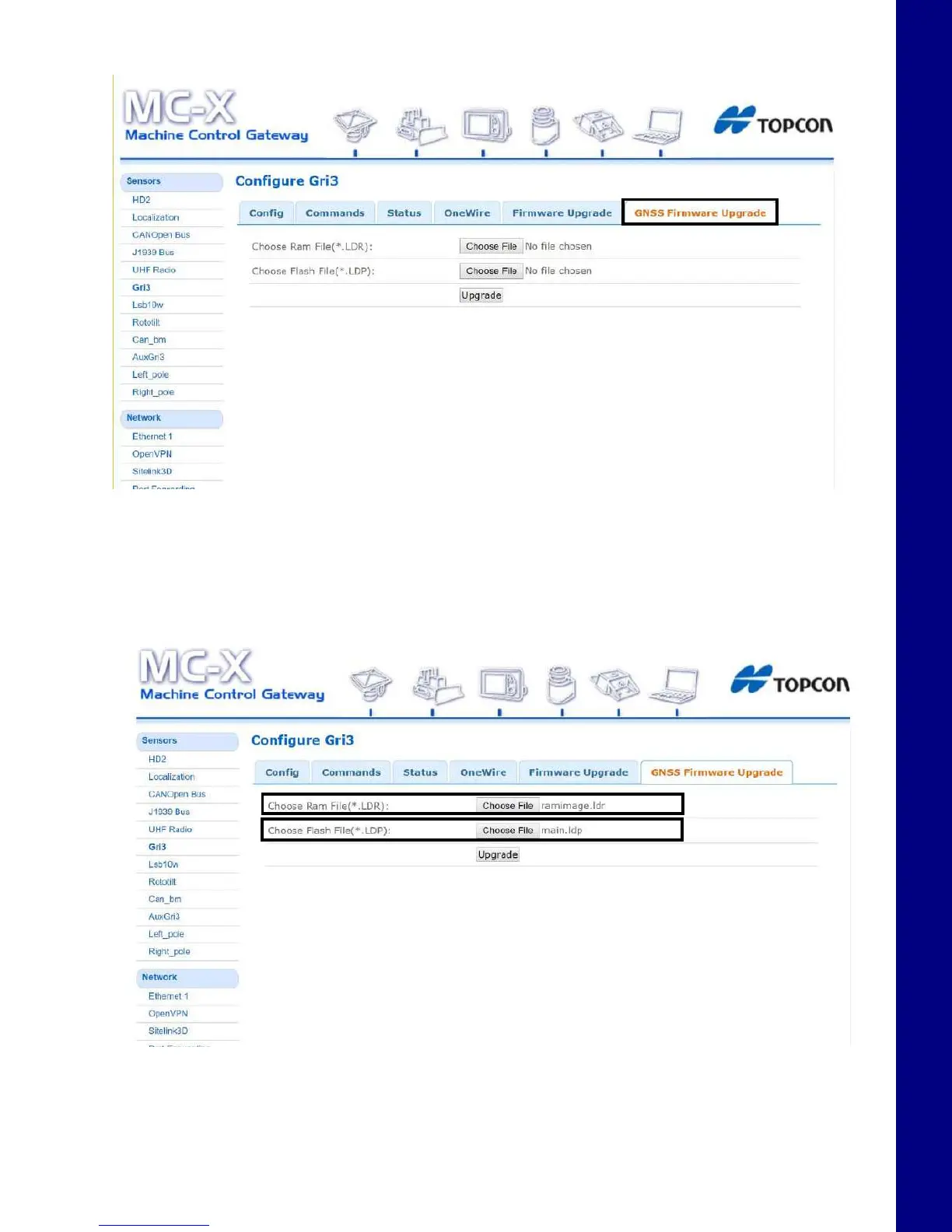
2. Select the GNSS Firmware Upgrade tab.
Figure 19. GNSS Firmware Upgrade Tab
3. To choose the RAM file, select Choose File and navigate to the GR-i3 firmware file
(.ldr extension).
4. To choose the Flash file, select Choose File and navigate to the GR-i3 firmware file
(.ldp extension).
Figure 20. GNSS Firmware - Choose File



 To Next Page