MC-X1 Connectivity and Configuration
System Verification
13
Excavator Indicate System P/N: 1022461-01
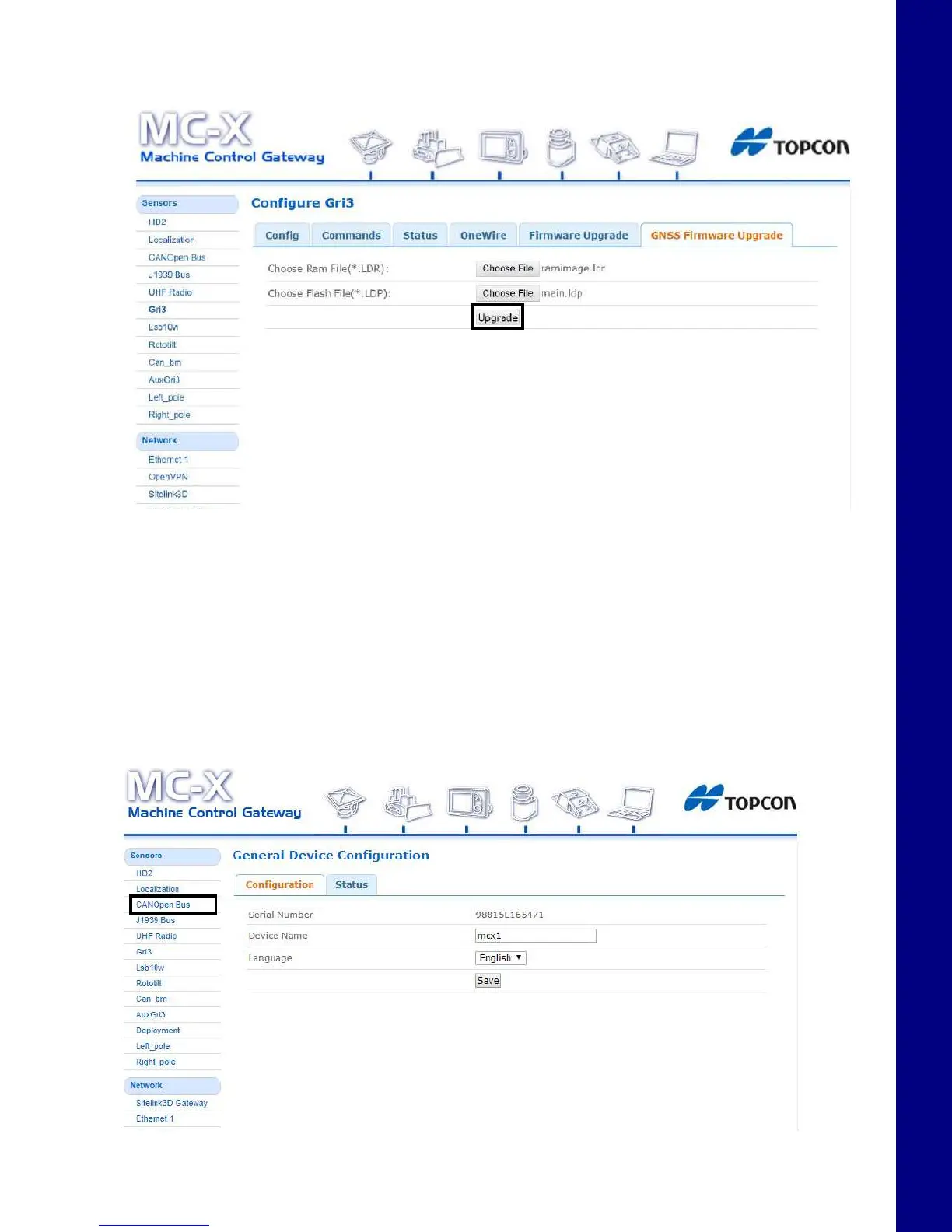
5. Choose Upgrade and the firmware upgrade process should begin. A notification appears once
the upgrade process is complete.
Figure 21. GNSS Firmware - Upgrade
6. Select AuxGRi3 under the Sensors tab, and repeat steps 2 through 5 for the Auxiliary antenna.
System Verification
Now that all necessary firmware has been loaded onto the MC-X1, CAN communication can be
verified.
1. Ensure all sensors and GR-i3s are connected, then tap on CANOpen Bus.
Figure 22. CANOpen Bus



 To Next Page