MC-X1 Connectivity and Configuration
System Verification
14
Excavator Indicate System P/N: 1022461-01
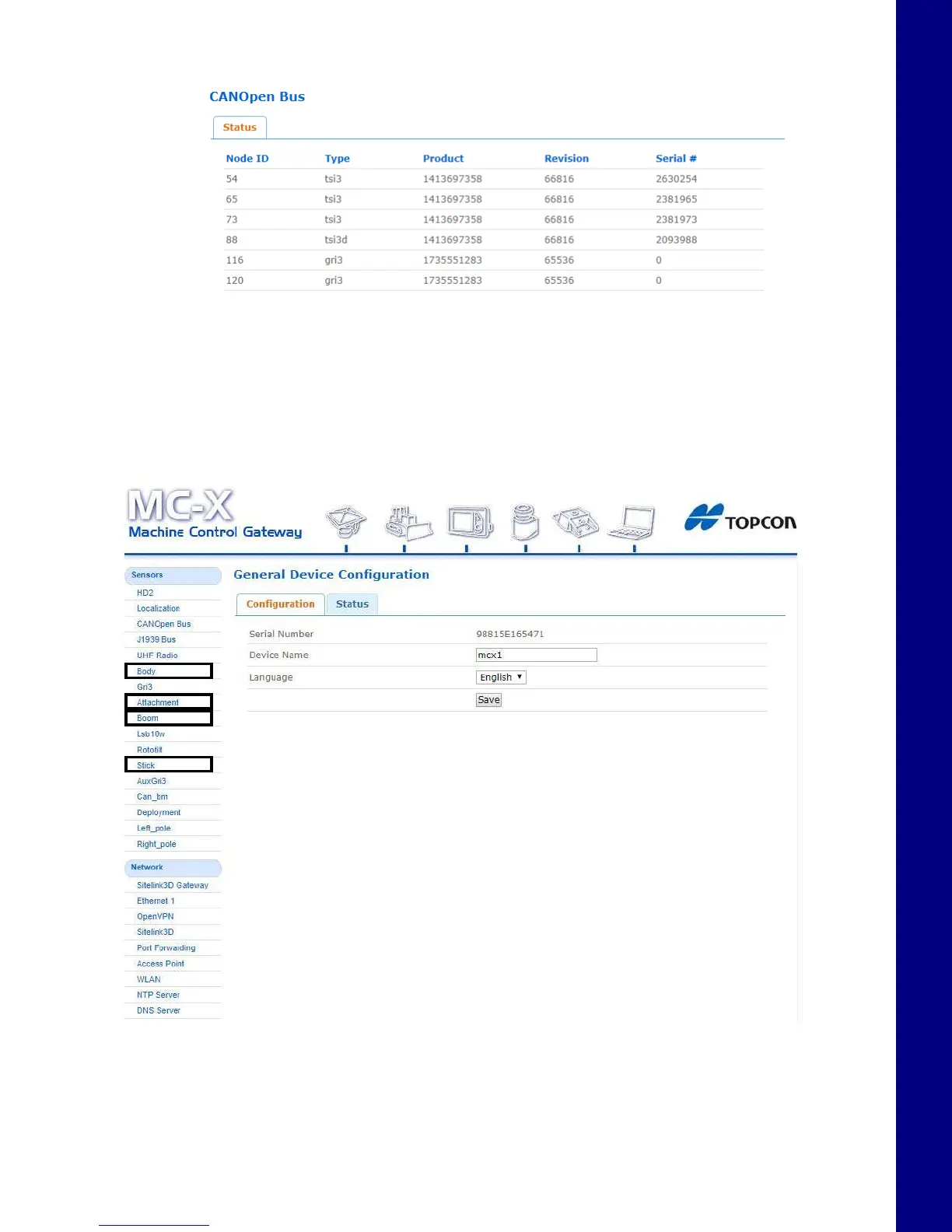
2. All communicating devices will populate in the Status window (Figure 23).
Figure 23. CANOpen Bus - Communicating Devices Status
Once a machine builder has been made active with the correct sensor designations (see
“Calibration” on page 44), the Body, Boom, Stick, and Attachment will be selectable in the
Sensors menu as shown in Figure 24 on page 14.
Figure 24. CANOpen Bus - Communicating Devices Status



 To Next Page