Installation
CAN Termination
26
Excavator Indicate System P/N: 1022461-01
Tilt Bucket Sensor
If using tilt bucket, an additional sensor may be mounted to the bucket (Figure 40). Tilt bucket sensor
mounting differs from all other sensors. Determine the location and orientation of the sensor with the
bucket sitting flat on the ground.
Figure 40: Tilt Bucket Sensor Mounting
Tilt Rotator
The following brands of supported Tilting/Rotating attachments include;
• Rototilt
®
• Engcon
®
• Steelwrist
®
Each manufacturer has specific installation documentation which is required for setup and calibration.
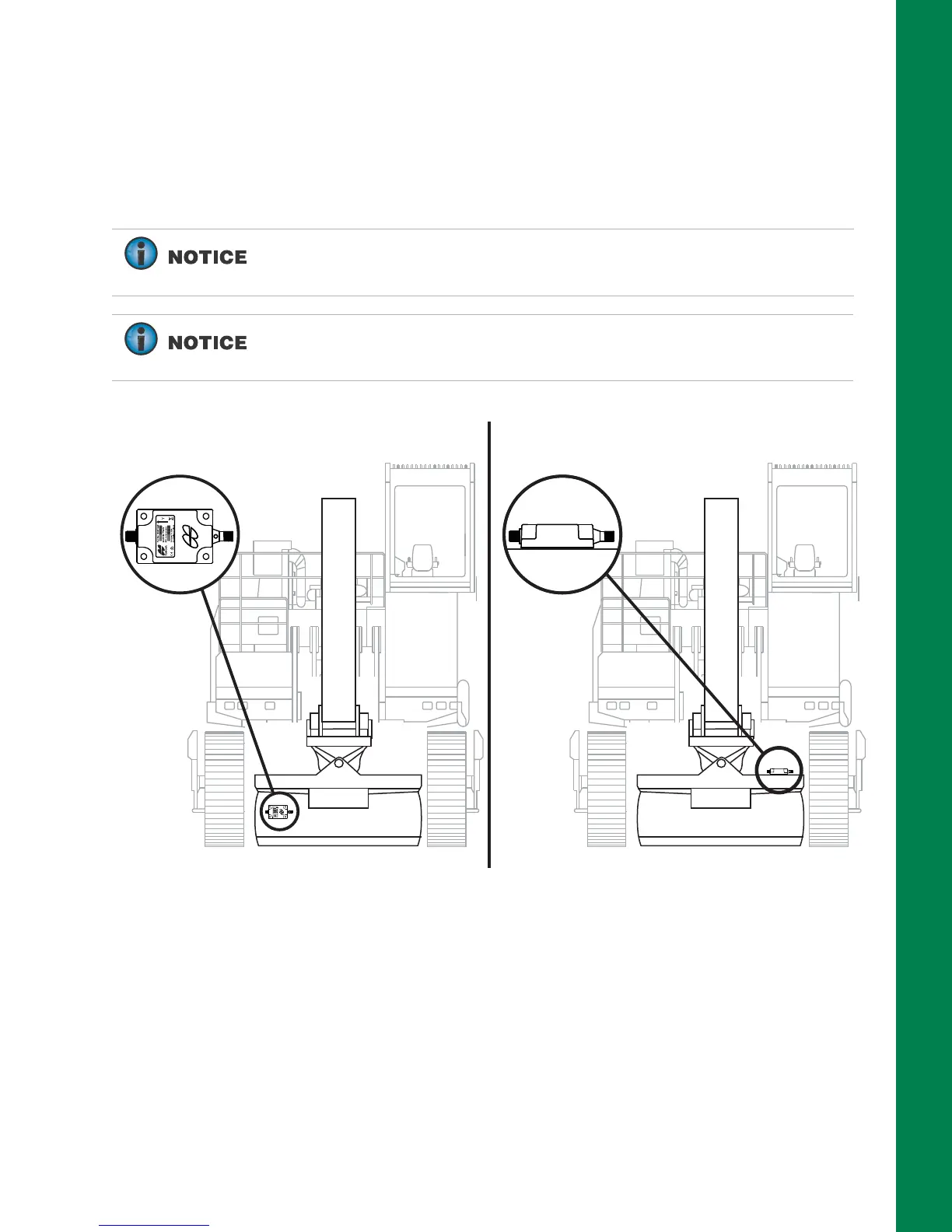
If using a single-axis TS-i3 sensor, mount the sensor vertically, with the
label front/arrow right, or label back/arrow right from the cab
perspective.
If using a dual-axis TS-i3d sensor, mount the sensor with a flat
orientation, on a the top of the attachment with the label up. The arrow
may point left, right, forward, or back.
Single-axis TS-i3 Sensor Orientation Dual-axis TS-i3d Sensor Orientation



 To Next Page