Calibration
Secondary Boom Sensor (Optional)
48
Excavator Indicate System P/N: 1022461-01
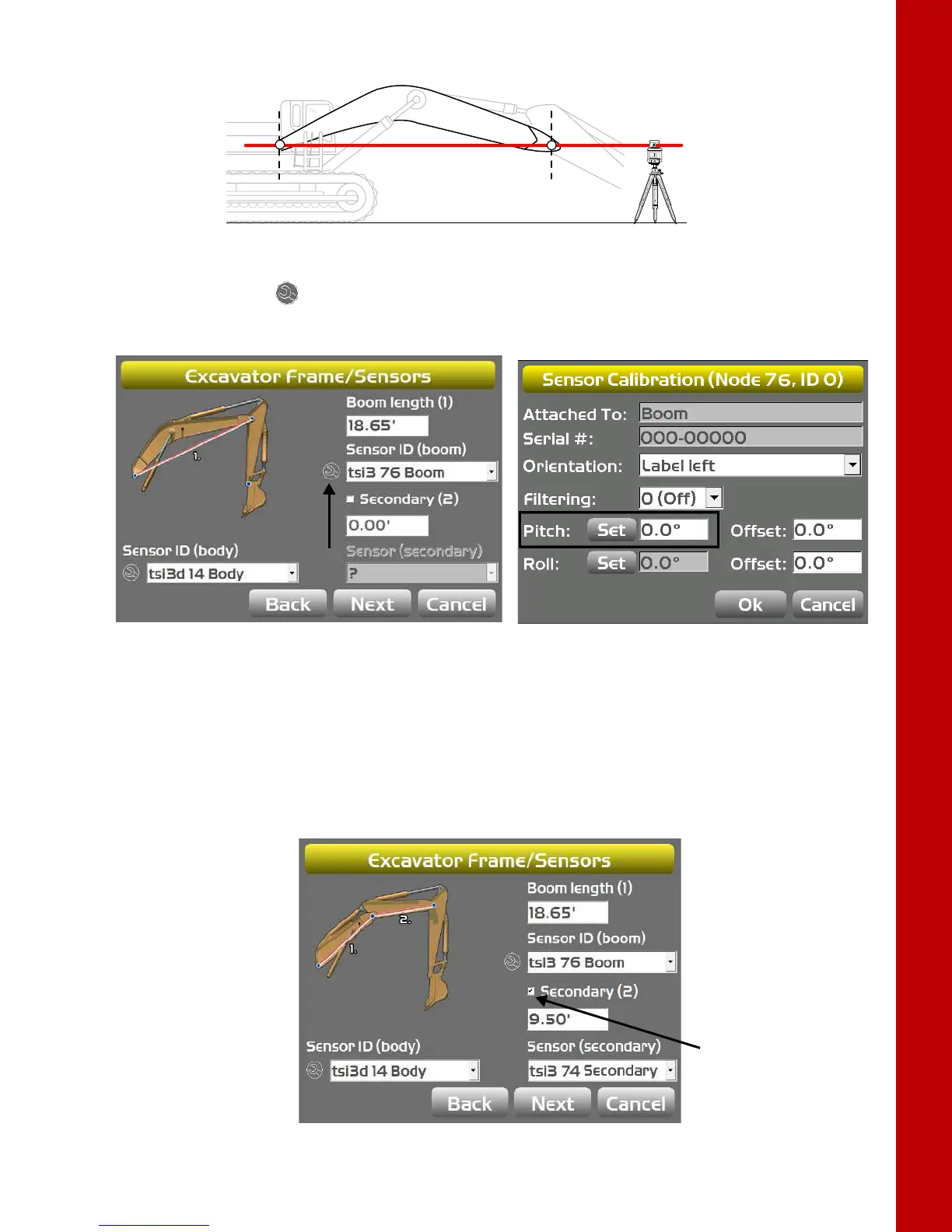
Figure 63: Place Laser to Strike Center of Boom Pivot
7. Tap the Wrench icon that corresponds to the boom sensor (Figure 64).
8. Tap Set next to Pitch, enter the value as zero, and tap Set again (Figure 64).
Figure 64: Set Pitch Value to Zero
9. Tap OK to return to the Excavator Frame/Sensors screen.
Secondary Boom Sensor (Optional)
The secondary boom sensor uses the same calibration method as the primary boom sensor.
1. Check the Secondary Boom
check box (Figure 65), and see “Boom Sensor” on page 47 for
instructions on calibrating the secondary boom sensor.
Figure 65: Secondary Boom Check Box



 To Next Page