Installation
GNSS Antenna, Mount and Pole
31
Excavator Indicate System P/N: 1022461-01
GNSS Antenna, Mount and Pole
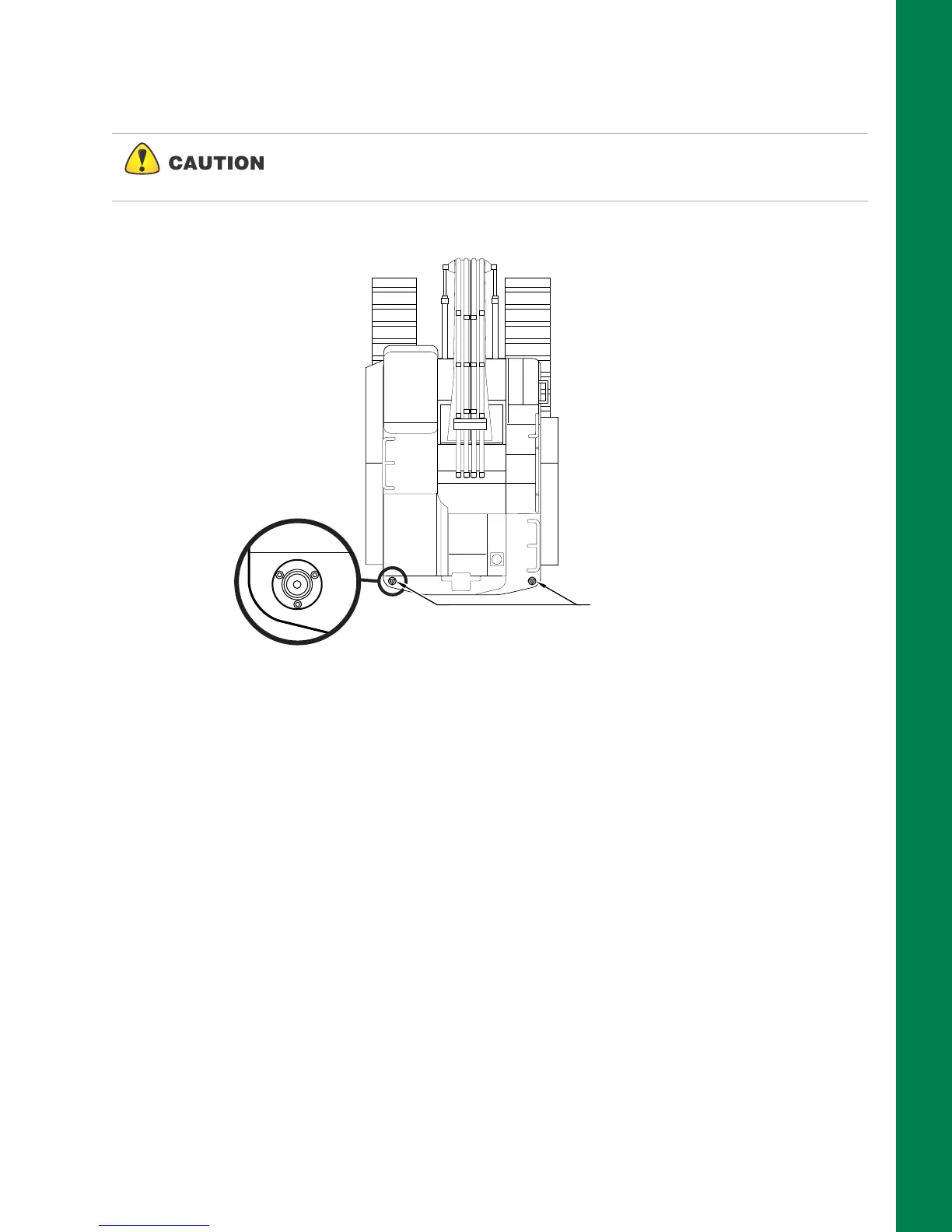
1. Weld the Antenna Pole Weld Mount to the top of the counterweight as shown in Figure 45.
Figure 45: Antenna Pole Mount Weld Mount Locations
2. Repeat Step 1 on the opposite side of the excavator.
3. Install the two antenna poles onto the weld mount using the three (3) bolts as shown in
Figure 46.
Various makes and models may require fabrication of mounting surface for
the Antenna Pole Mount. Ensure that the top of the antenna is flush or
slightly above the cab roof when mounted.
Weld Mount
Locations on Counterweight



 To Next Page