Calibration
Stick Sensor
49
Excavator Indicate System P/N: 1022461-01
2. Tap Next to access the Excavator Stick screen.
Stick Sensor
1. Tap the Wrench icon that corresponds to the stick sensor (Figure 67 on page 50).
2. Select the correct orientation from the drop-down menu.
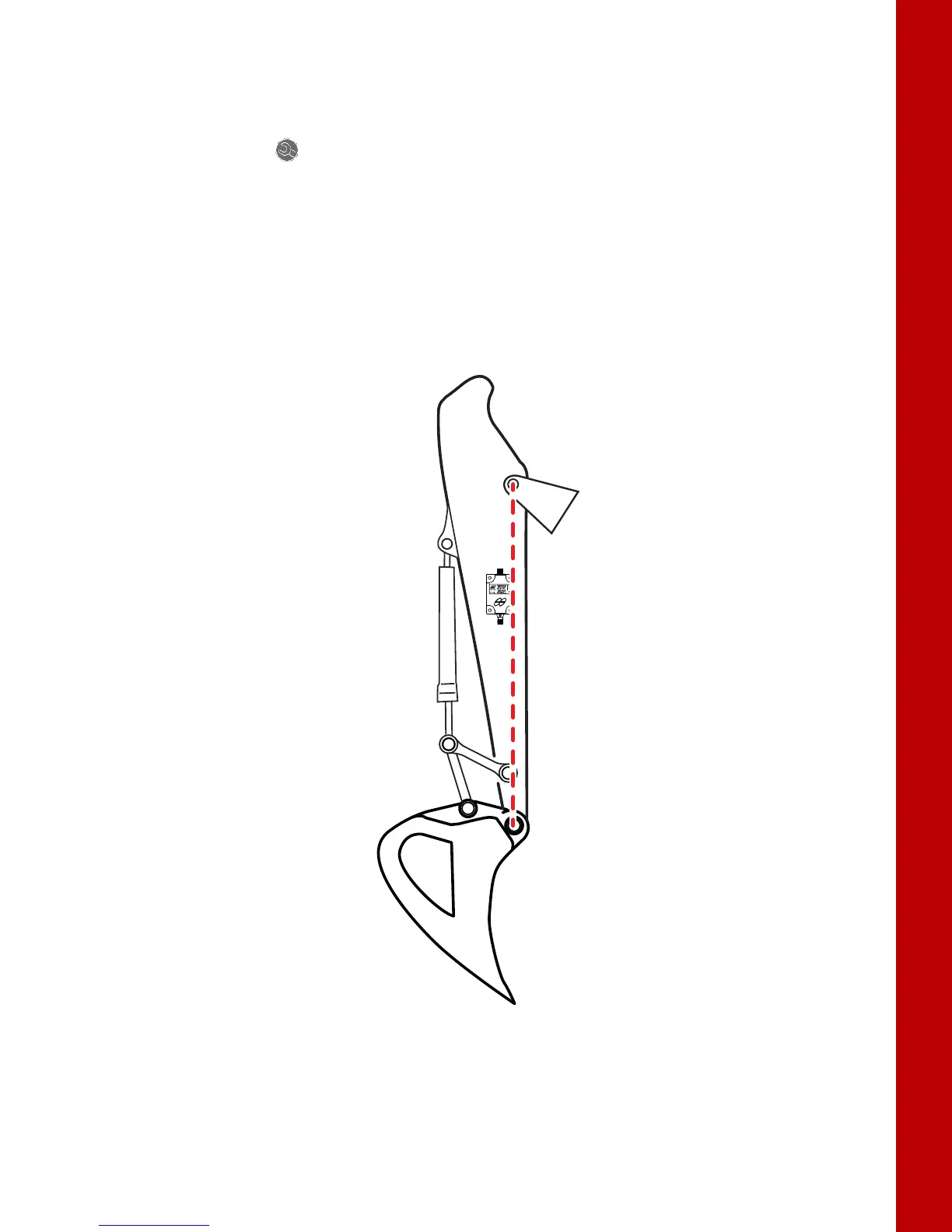
3. When performing the stick sensor calibration position the stick at -90 degrees. -90 degrees is
accomplished when the Bucket Pivot Pin is directly under the Stick Pivot Pin. A magnet and
plumb bob is recommended for this step.
4. Position the stick at -90° (Figure 66 on page 49).
Figure 66: Stick at -90°



 To Next Page