Calibration
Body Sensor
45
Excavator Indicate System P/N: 1022461-01
Body Sensor
Once the sensors are named, assigned to a machine element, and the orientation is selected, calibrate
each sensor using 3D-MC. A sensor calibration can be performed at any time.
1. On the GX Series display, tap the Power Button Control Machine setup.
2. Select the appropriate machine file, and tap Edit.
3. Continue to press Next to access the Excavator Frame/Sensors screen.
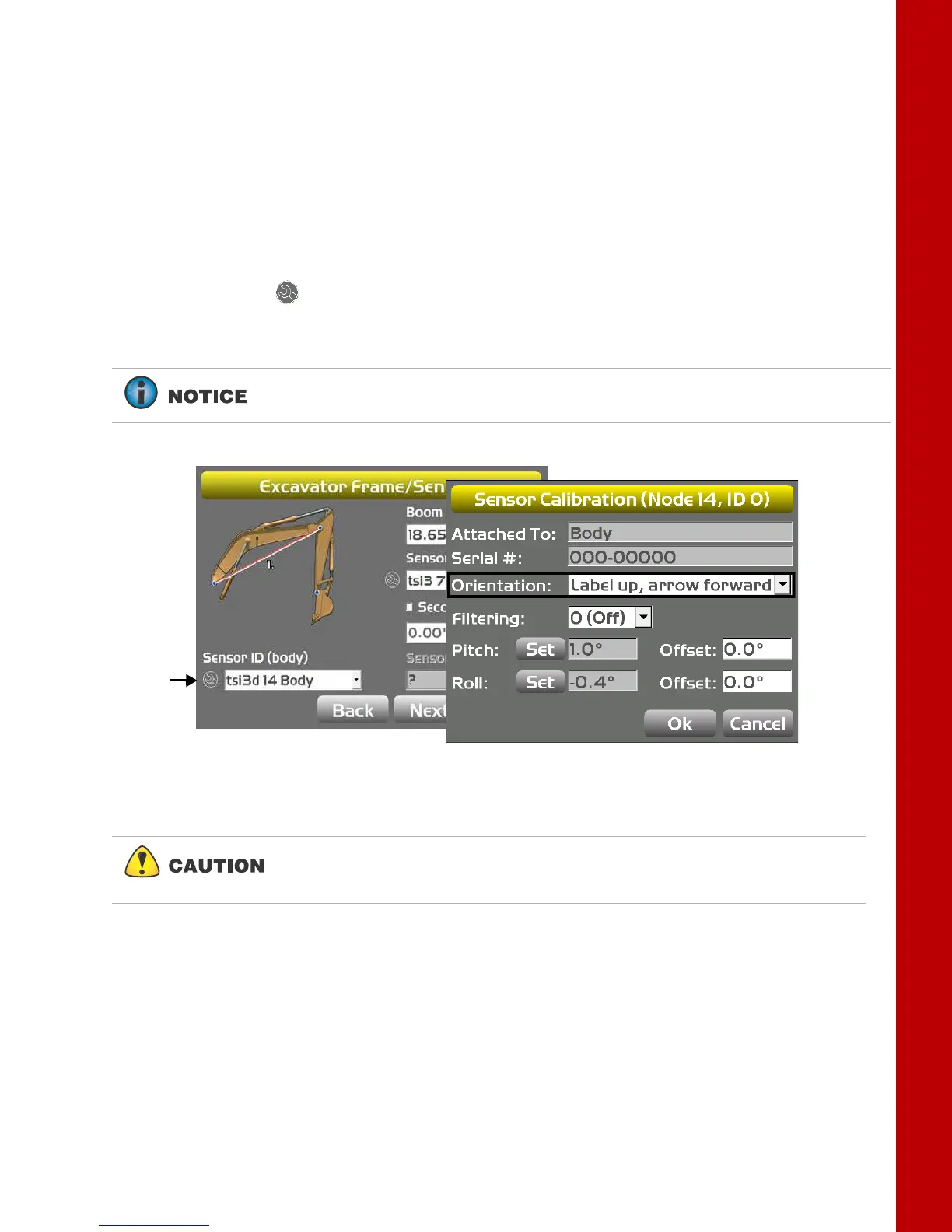
4. Tap the Wrench icon for the body sensor.
5. Tap the Orientation box, and select the physical orientation of the mounted sensor; tap OK.
Figure 59: Select Sensor Orientation
Orientation is Label up with the arrow pointing one of the four directions.
The body sensor calibration requires both the pitch and roll calibrations.
Perform both calibrations at the same time to ensure accurate
measurements.



 To Next Page