MC-X1 Connectivity and Configuration
Loading EASy-Proof Radio Channels
16
Excavator Indicate System P/N: 1022461-01
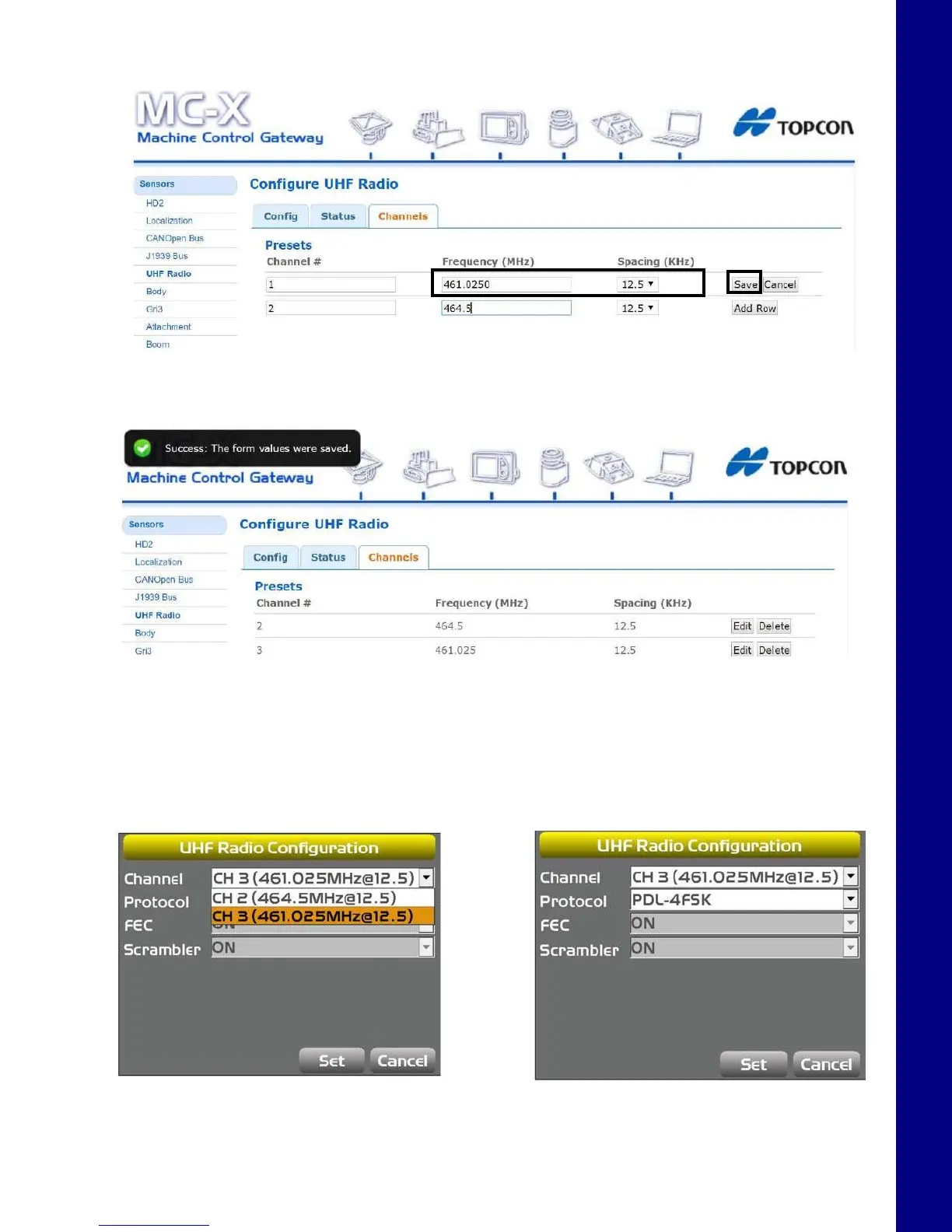
6. Tap the Channels tab, enter the appropriate values, and tap Save.
Figure 27. UHF Radio Setup
Anotificationappearswhenthevaluesaresaved(Figure28).
Figure 28. UHF Radio Setup - Saved
7. Close MCXCONFIG.
8. Open 3D-MC, and tap Tools > Configure Radios > Configure, and then select the
appropriate channel from the drop-down menu.
9. Tap Set.
Figure 29. UHF Radio Configuration



 To Next Page