13
COMPONENTS
CONTROL PANEL COMPONENTS
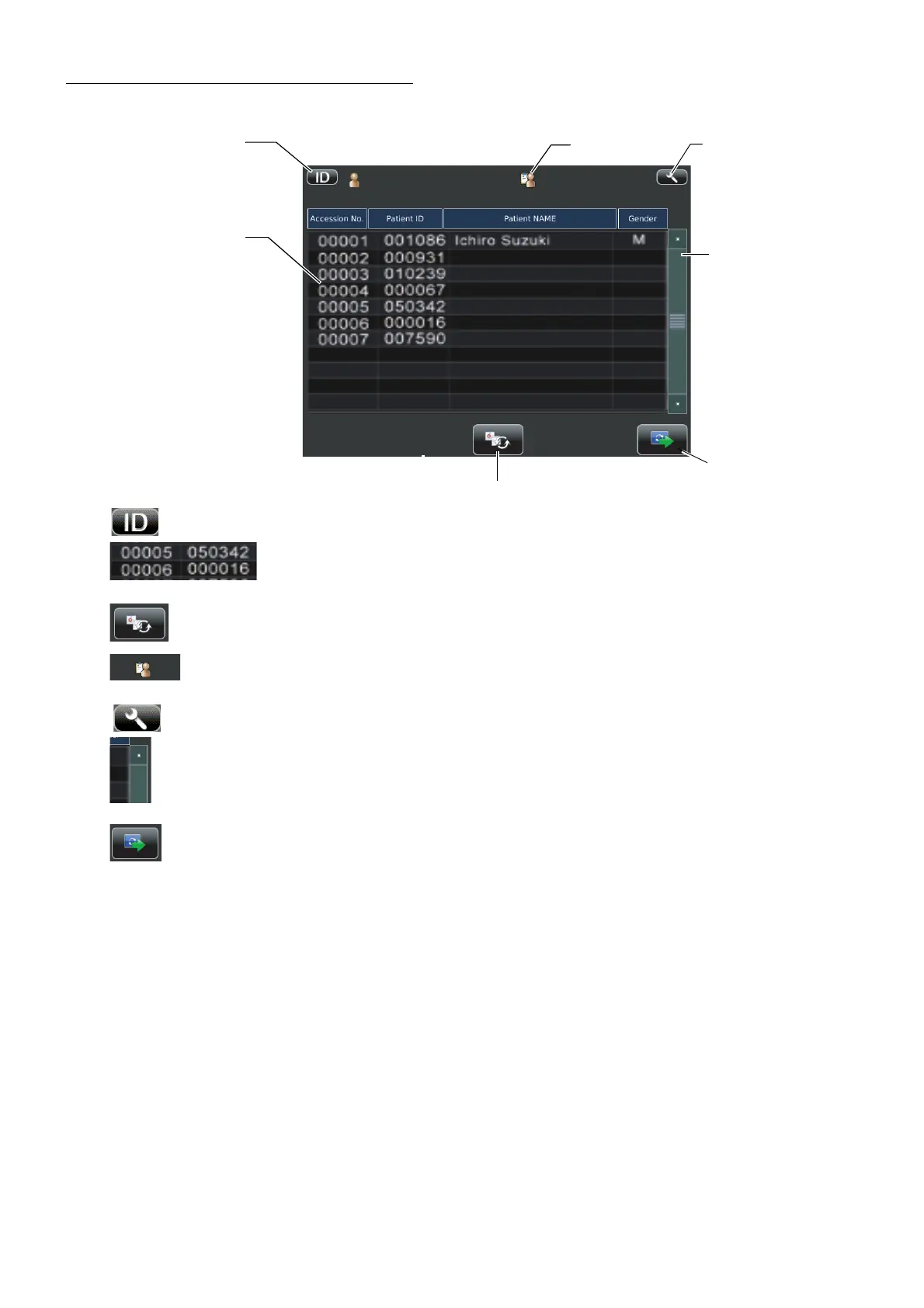
PATIENT SCREEN (DICOM WORK LIST)
Patient ID input change button.............A patient screen is switched to ID input.
Work list ...........................The work list which is gained by DICOM MWM (Modality
Work list Management) server is shown.
List update button.................................Select this list to select a patient.
Operator ID........................................When Fixed operator ID is off, the button is tapped and
patient screen appears waiting operator ID input.
Settings button .......................................Displays the Setup screen.
Scroll bar ................................................When there are many work lists, the following hidden list is
displayed.
Next button .............................................Patient selecting is complete and moves to photography set-
ting screen is set.
Settings button
List update button
Work list
Scroll bar
Next button
Operator ID
Patient ID input change button



 To Next Page