55
SETTING FUNCTIONS ON SETUP SCREEN
SETTING FUNCTIONS ON SETUP SCREEN
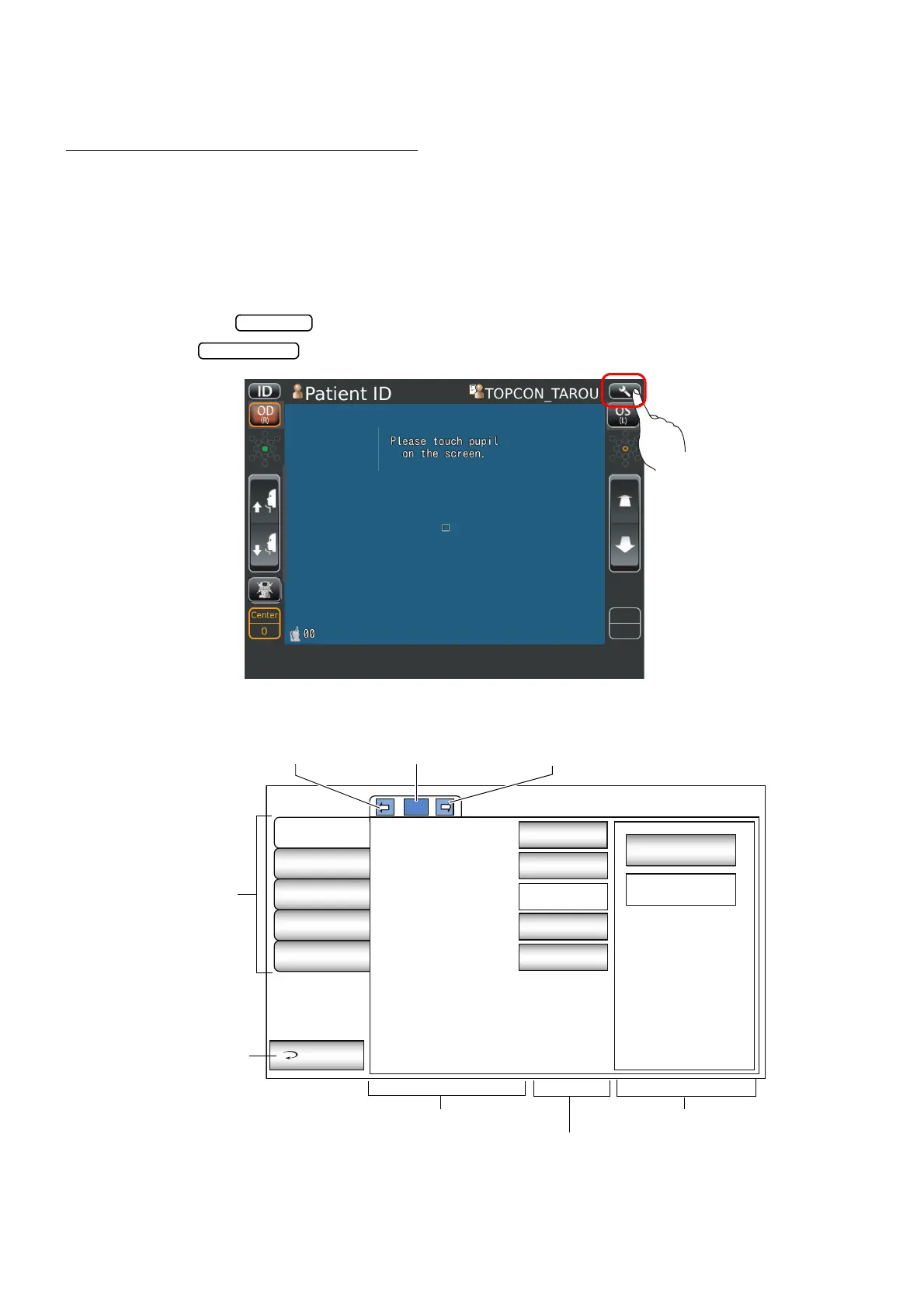
OPERATING THE SETUP SCREEN
Various functions can be set on the SETUP screen.
PREPARATONS FOR SETTING
1 Make sure that the power cable is connected.
For connection, refer to "CONNECTING POWER CABLE" on page 28.
2 Turn ON the switch.
3 Tap the button on the control panel.
The SETUP screen is displayed.
Initial
Settings
Internal
Printer
External
Printer
Network
Settings
Operator
Settings
Exit
1/3
OFF
Capture mode
Free style start
screen
Buzzer
Stand by mode
Patient IDreset
Sequence
Capture Screen
ON
Right
OFF
ON
Index
Back Page button Page display Next page button
Exit button
Descriptions Options
Current condition button



 To Next Page