44
BASIC OPERATIONS
PRINT-OUT OF PHOTOGRAPHING DATA
This instrument can print out photographing data by internal printer.
1 Make sure that is displayed on Photographing result screen.
• If Panorama photography, Multi points photography and Binocular photography is selected,
does not appear until all specified photographing is completed.
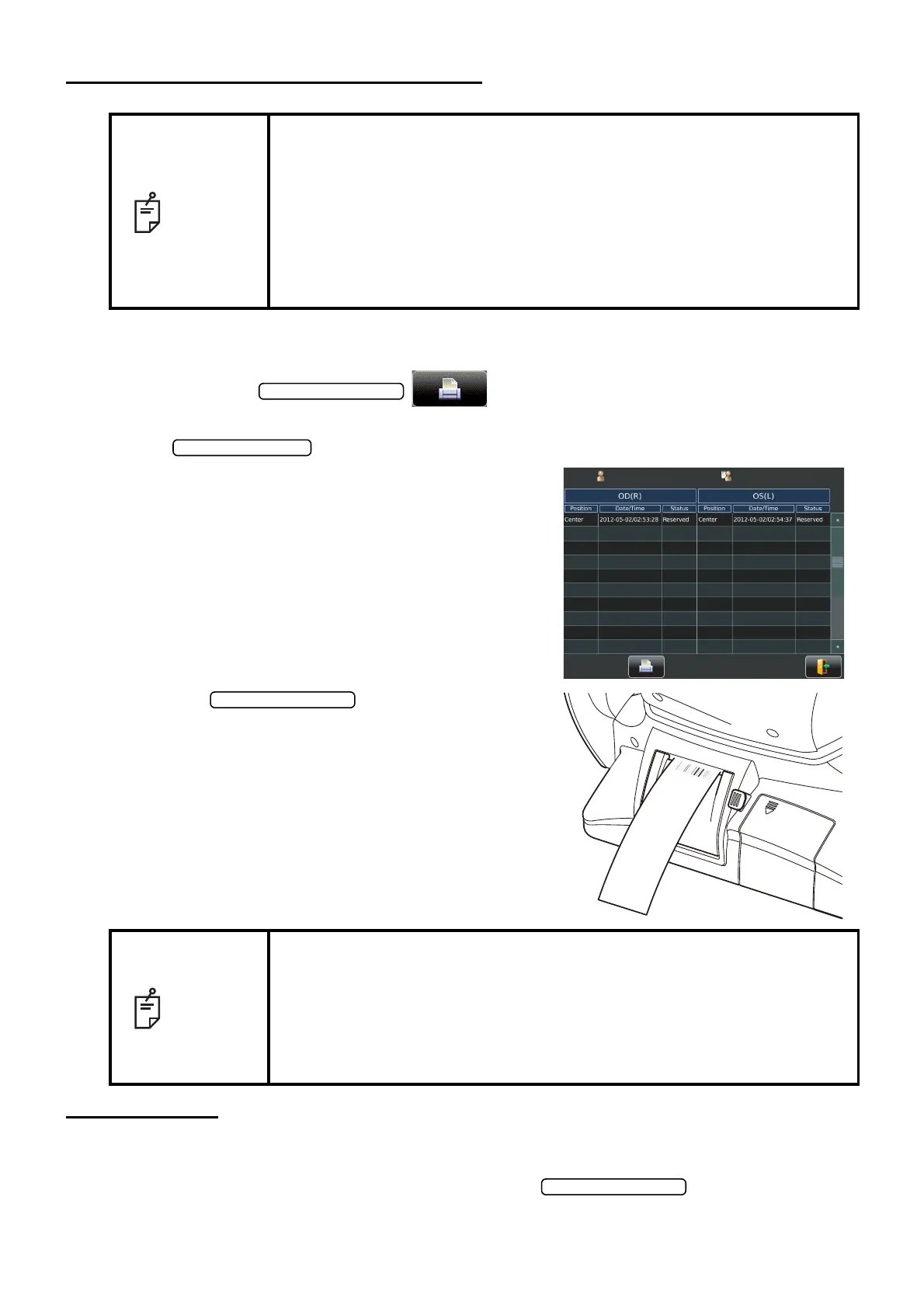
2 List of printing items screen is displayed.
3 Tap the on the List of printing
items screen.
Photographing values on the List of printing
items screen are printed out.
DATA OUTPUT
If personal computer and external devices are connected with this instrument, outputting data and
printing out are simultaneously performed by tapping the .
NOTE
• To avoid a paper jam in the printer, do not feed the paper if it is partly cut
or wrinkled.
• To avoid discoloring of the printer paper (particularly the recording area)
during storage, use a polypropylene bag and not one containing plasti-
cizer (PVC, etc.).
• To avoid discoloring of the printer paper (particularly the recording area)
after pasting, use water-soluble glue and not one containing solvent.
• Since the printer paper is thermosensitive, it is not suitable for keeping
records for a long period. If necessary, prepare copies separately.
NOTE
• When a red line is printed at the end of the printer paper, replace it with a
new one. For details about the replacement of printer paper, see
"PRINTER PAPER SETTING" on page 31. 58mm wide printer paper is
recommended. For the printer paper, see "ORDERING CONSUMABLE
ITEMS" on page 78.
• "CLOSE PRT COVER" is indicating that the printer cover is left opened,
ensure that the printer cover is completely closed.
Patient ID
TOPCON_TAROU
0#/'
6101#
ޛ4ޜ
OO*I#&,OO*I#&,
AA#/
1+&-GPL[CA
0Q-GPL[CA
50
%6
'44
#8)
#8)
#8)
'44
'44
'44
'44
'44
'44
'44
ޛ.ޜ
ޛ4ޜ
ޛ
.ޜ
J2C#&,
J2C#&,
2#%1#
612%1
0
/GUUCIG
4 OO
. OO



 To Next Page