15
COMPONENTS
HOW TO INPUT A PATIENT ID
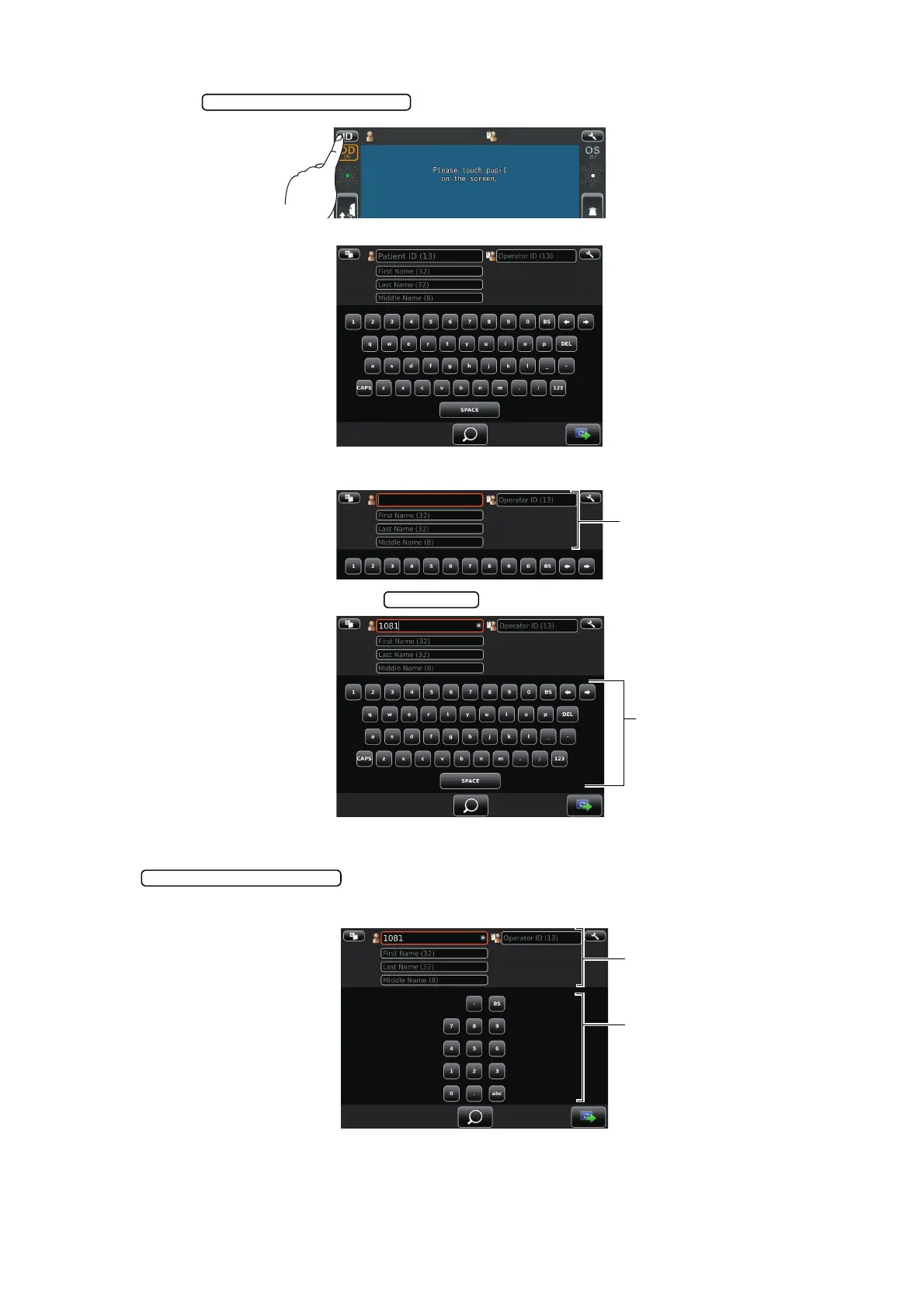
1 Tap the on the control panel.
Patient ID input screen is selected.
2 Tap the input window of patient ID to change the frame color to orange.
3 Enter the Patient ID tapping the .
4 If you need to input numeral by ten-key, ten-key input screen appears by tapping the
.
Input in same manner above 2-3.
Patient ID input change button
Ten key changeover button



 To Next Page