42
BASIC OPERATIONS
4 Under "Panorama photography" is set, the procedure is follows; "photographing" - "check the
photographing result" - "photographing" - "check the photographing result", then repeat same
procedure. Photographing is performed at three points as center, ear side, and nose side.
Under "Multi points photography" is set, the procedure is "photographing" and "check the photo-
graphing result", and repeat same procedure according to selected points.
NOTE
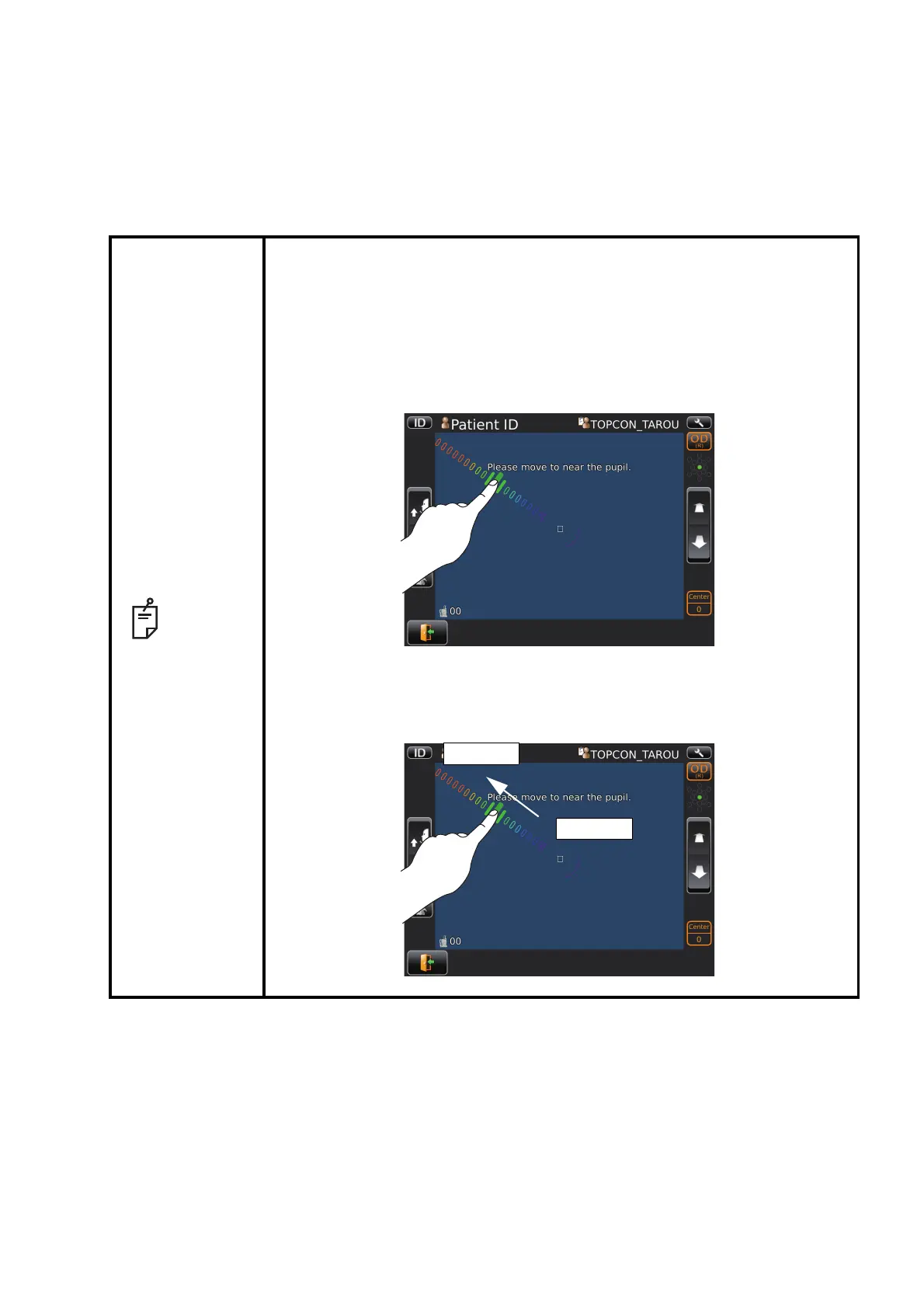
IN MANUAL ALIGNMENT
To keep pressing on the screen, the instrument moves to the direc-
tion from center of screen to the pressed point.
It is possible to change the direction by dragging on the screen,
too. The instrument does not move even if you press around cen-
ter of screen without the bar.
Moving speed is changed according to the distance between cen-
ter of screen and pressed point.
Moving speed is higher than away from a screen center.



 To Next Page