18
COMPONENTS
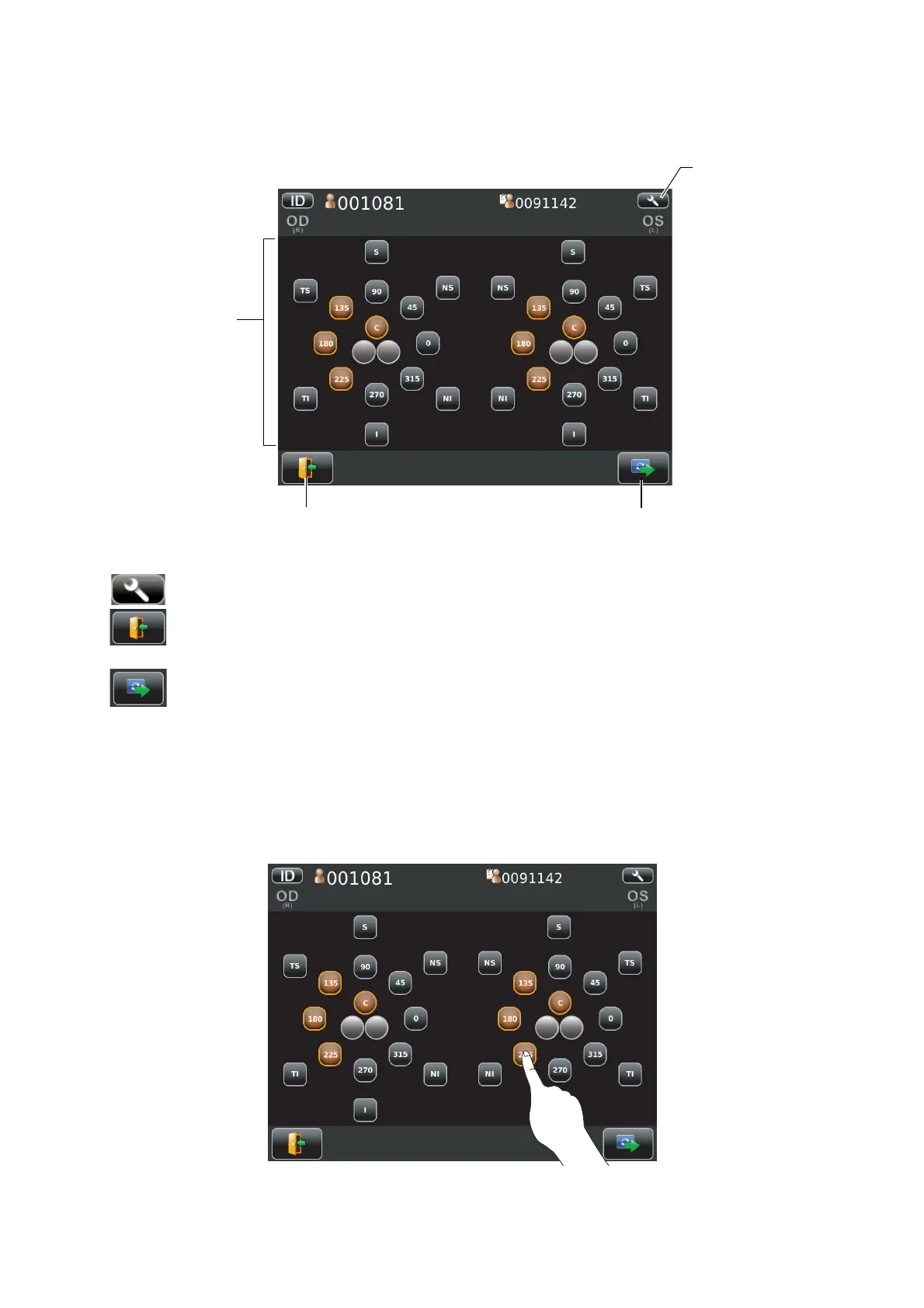
PHOTOGRAPHING POSITION (SHOWING POSITION OF FFIXATION TARGET) SELECTING SCREEN
When Multi point button is selected in photography point, photographing position selecting screen is
shown. Photographing position is determined here.
Selecting position display....................................The position to be photographed is selected.
Settings button ......................................Displays Setup screen.
Return button ........................................What has been entered is abandoned returns to patient
screen.
Next button ............................................The position selected is determined, moves to capture
screen. (If no position is selected, the next button is not dis-
played.)
• Operation on photographing position selecting screen.
Tap the button for the position to be photographed. Selected position is colored in orange.
• The fixation target is lighted on diagonal location for selecting the desired position.
R L R L
Return button
Selecting position display
Next button
Settings button



 To Next Page