21
COMPONENTS
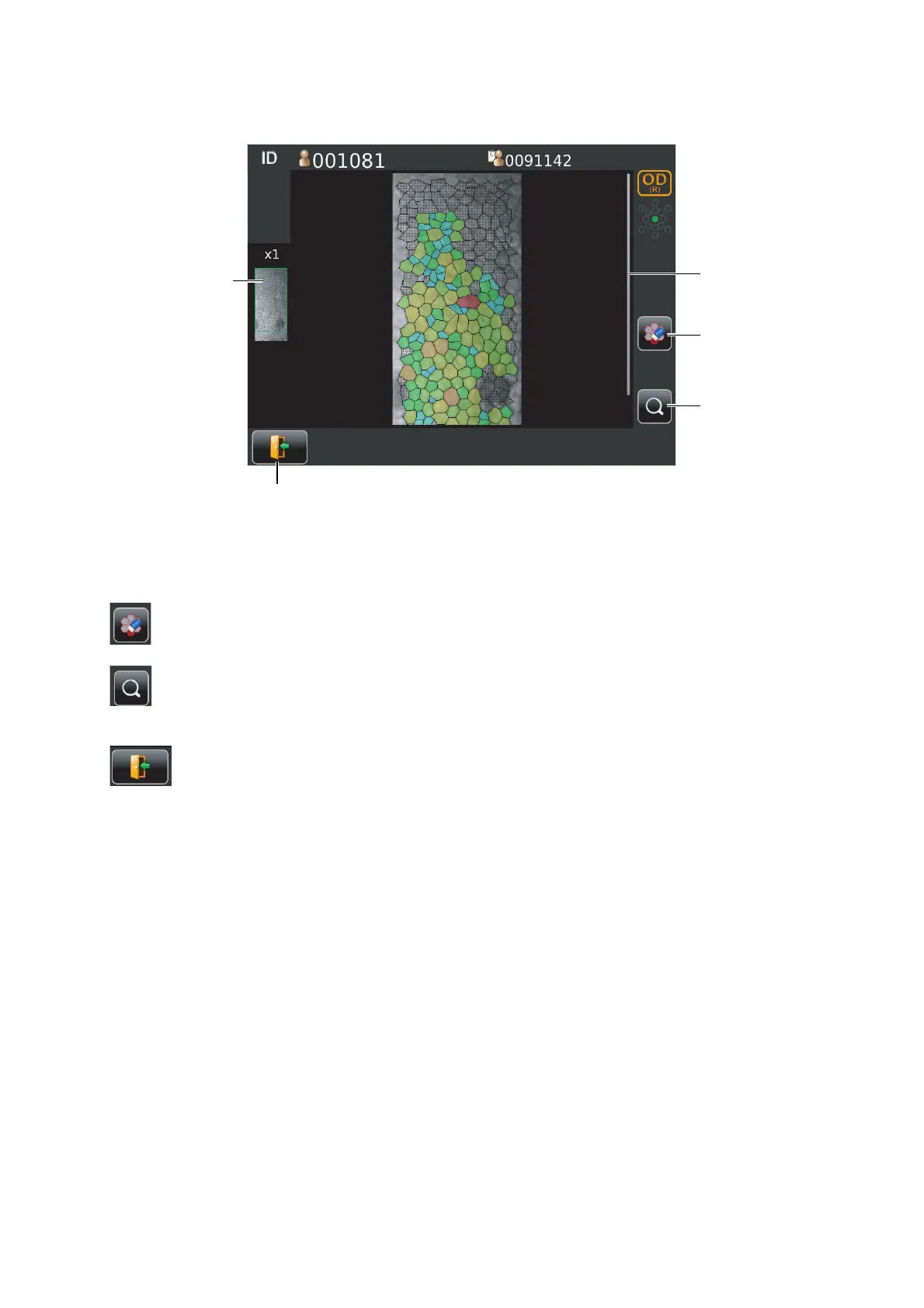
MANUAL EDITING SCREEN
Screen for editing the result of automatic cell analysis.
Thumb nail display ..............................................When the image is enlarged the enlarged area is shown. The
area is flamed in green.
Scroll bar.............................................................Uses to show the hidden list by dragging up and down.
Excluding button ......................................Exclude the cell specified form analysis while remains
boundary line of cell.
Zoom button ............................................Enlargement/reduction of image is done.
When enlarged, you can move the area to be displayed by
dragging corneal endothelium image.
Return button......................................What is edited is canceled returning to the screen for analyz-
ing result image.
Scroll bar
Thumb nail display
Excluding button
Return button
Zoom button



 To Next Page