51
OPTIONAL OPERATIONS
CELL ANALYSIS IN EDITING MODE
If the detailed mode setting is ON, editing button is shown. Use of a stylus pen is recommended to
edit.
1 Make sure that Photographing result screen is displayed.
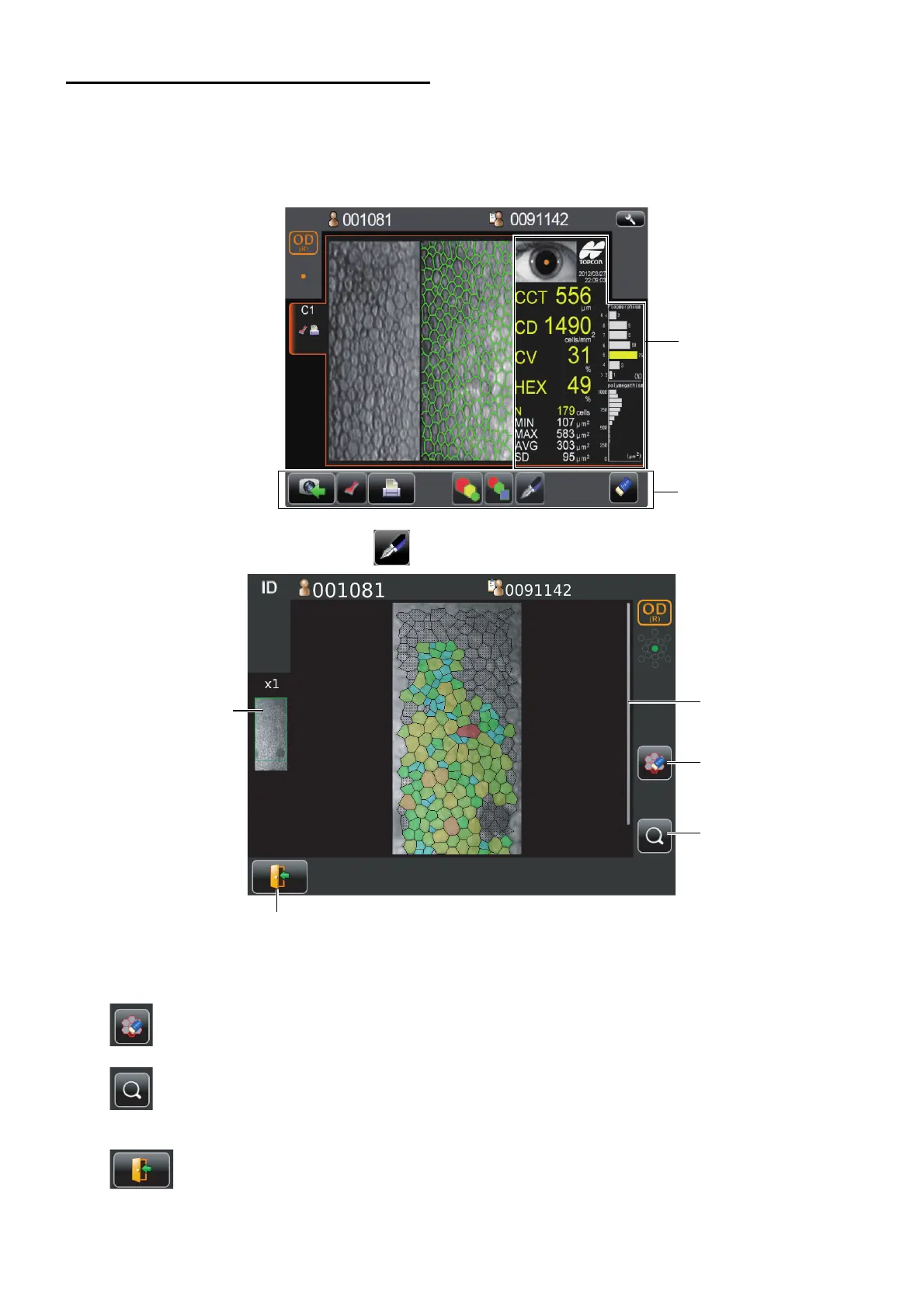
2 Tap the manual editing button . Manual editing screen is displayed.
Thumb nail display ..............................................When the image is enlarged the enlarged area is shown. The
area is flamed in green.
Scroll bar.............................................................Uses to show the hidden list by dragging up and down.
Excluding button......................................Exclude the cell specified form analysis while remains
boundary line of cell.
Zoom button............................................Enlargement/reduction of image is done.
When enlarged, you can move the area to be displayed by
dragging corneal endothelium image.
Return button......................................Return to Analysis result screen. (The changes are dis-
carded.)
Thumb nail display
Excluding button
Return button
Zoom button
Scroll bar



 To Next Page