35
BASIC OPERATIONS
PREPARATION BEFORE PHOTOGRAPHING (SEQUENCE COURSE)
TURN THE POWER ON. SET PATIENT ID.
1 Insert the power cable plug into the commercial power (the 3-pin AC grounding receptacle.)
For the details of connection, refer to "CONNECTING POWER CABLE" on page 28.
2 Press on the switch.
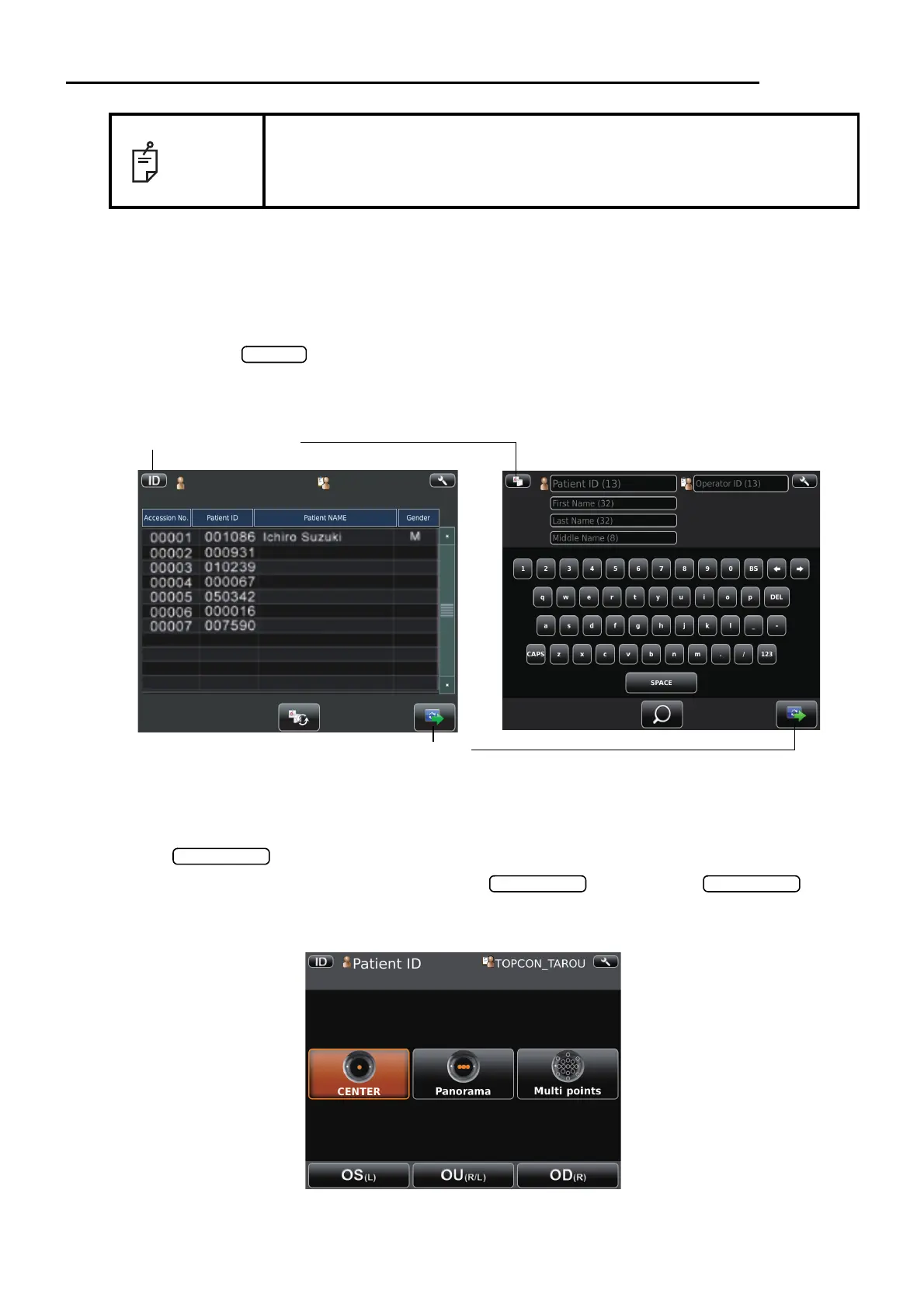
• Make sure that the title screen is displayed and then the patient screen is displayed. The
patient screen is shown for a while.
• When selecting the patient form DICOM work list, select the patient on the list, tap the
.
To enter the ID, enter patient ID by use of , finally tap the .
(Refer to page 15 regarding how to input ID.)
Photography setting screen is shown.
NOTE
• Do not put the patient's chin on the chinrest until the power is on.
• If room temperature becomes low at 10°C or less in the winter, after turned
the power switch on, warming up is necessary before use. Image quality
may be influenced for low temperature.
Patient screen for DICOM work list Patient screen for ID input
Next button
Patient ID input change button



 To Next Page