29
PREPARATIONS
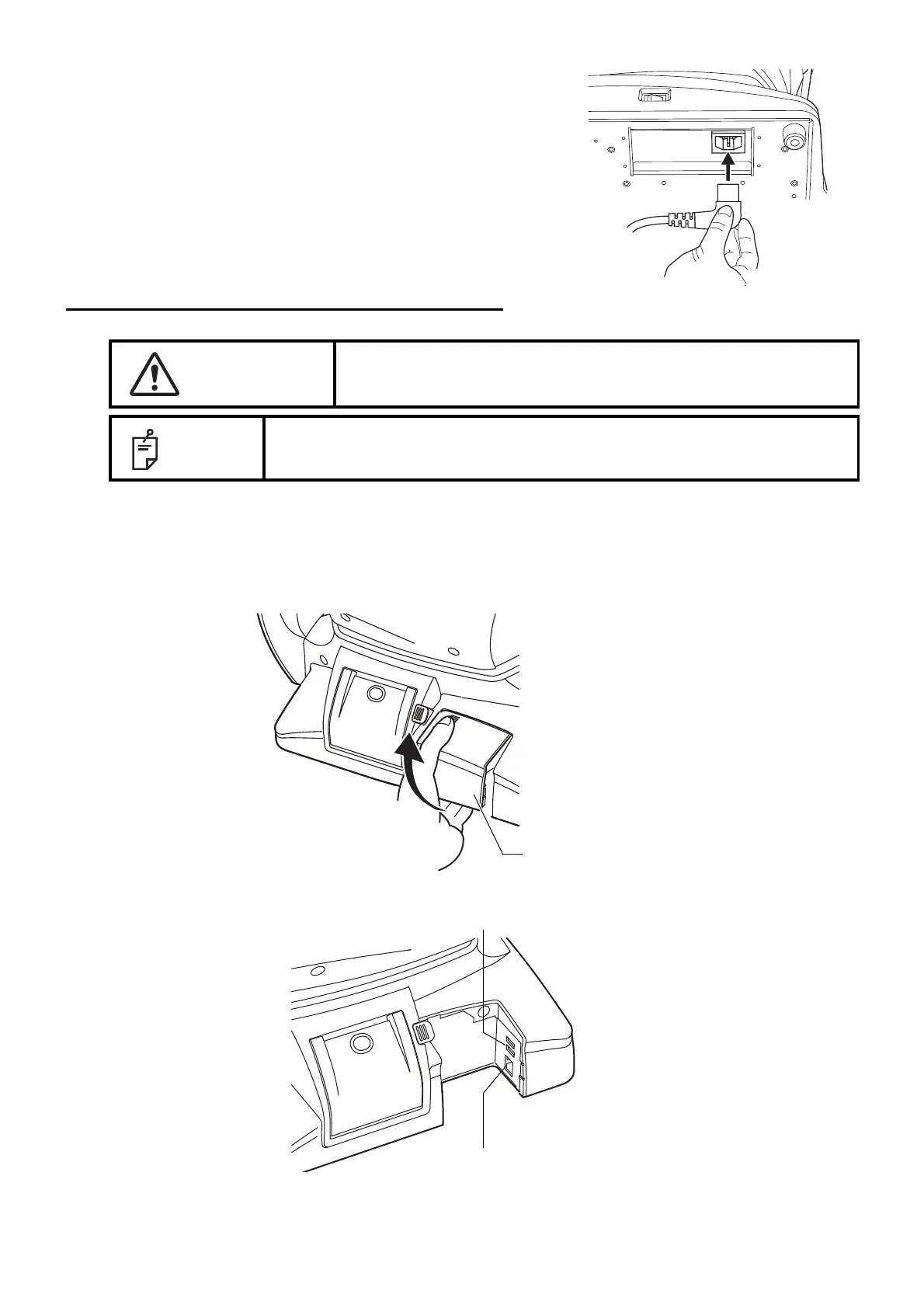
3 Connect the power cable to the Power inlet.
4 Insert the power cable plug into the commercial power
(the 3-pin AC grounding receptacle.)
CONNECTING EXTERNAL I/O TERMINALS
DATA OUTPUT
This product can be connected to a personal computer (PC) and other external devices via LAN.
1 Remove the External I/O terminal cover by pulling up as follows.
2 Connect the connection cable to the I/O terminal of the instrument.
CAUTION
To avoid electric shock, do not touch the external connection
terminal and the patient at the same time.
NOTE
When connecting this product with a commercial personal computer, use
one conforming to IEC60950-1.
External I/O terminal cover
LAN I/O terminal
USB I/O terminal



 To Next Page