36
BASIC OPERATIONS
SELECT PHOTOGRAPHY POINT AND PATIENT'S EYE
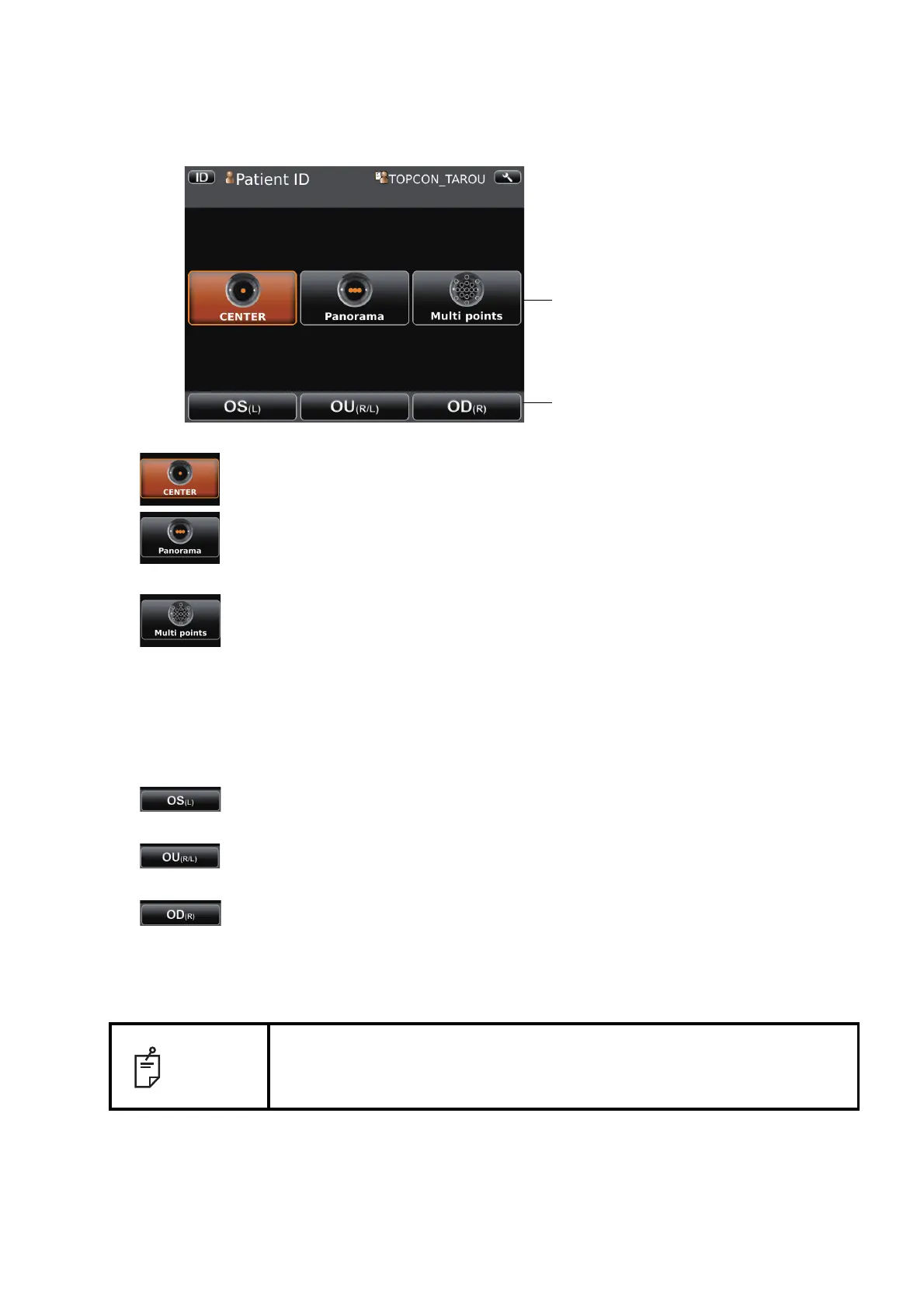
1 Tap the photography point setting button.
CENTER button .........Centering photography is carried out.
Panorama button........Panorama photography that is to photograph 3 points around
the center is set.
Multi points button......Multi points photography that is to photograph specified cir-
cumference position is set.
• If the Multi points button is selected, select the photographing position on the Photograph-
ing position selecting screen. For the details see the 18 pages.
2 Tap the button to select patient's eye.
OD(R) button......Photographs right eye only in the selected photography point.
If selection is complete, moves to capture screen.
OU(R/L) button...Photographs two eyes (R/L) in the selected photography point.
If selection is complete, moves to capture screen.
OS(L) button ......Photographs left eye only in the selected photography point.
If selection is complete, moves to capture screen.
3 Move to the capture screen.
NOTE
In the sequence course, changing the photographing points is impossible
during photographing. If the changing is necessary, you have to photograph
in free style course.
Photography point setting button
Button to select patient's eye



 To Next Page