32
PREPARATIONS
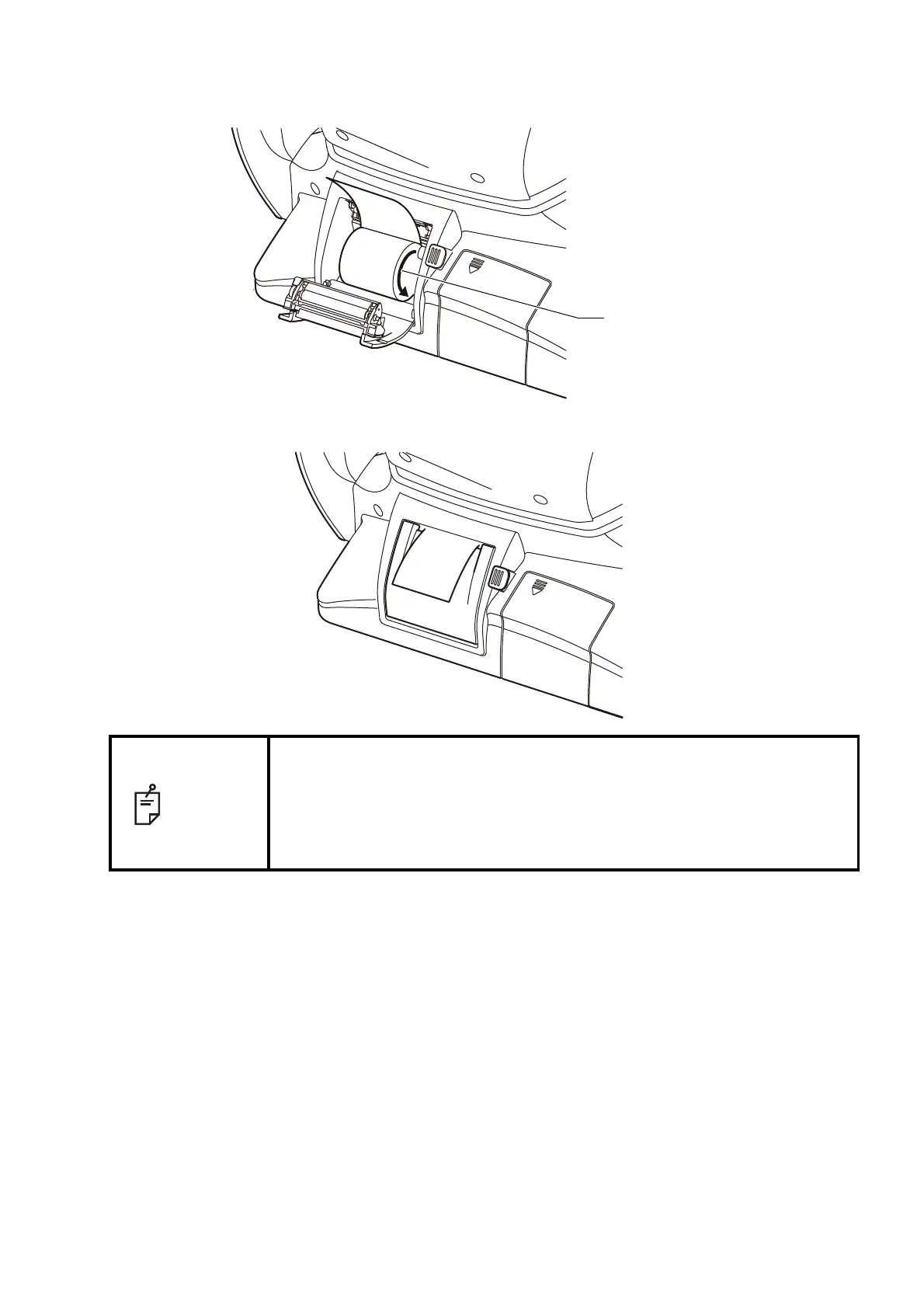
3 Insert the printer paper in the direction shown below and pull out the paper end to your side by 7
to 8cm.
4 Bring the paper into the center, then close the printer cover.
NOTE
• If the printer cover is closed when the power is ON, the paper cut opera-
tion is carried out automatically.
• In case the printer cover is not firmly closed, printing will not start.
• A 58mm wide paper roll is recommended. For the printer paper, see
"ORDERING CONSUMABLE ITEMS" on page 78.
Other paper rolls may cause abnormal printing noise or unclear print.



 To Next Page