47
OPTIONAL OPERATIONS
4 Start Preparation of patient (Refer to P.37 "PREPARATION OF PATIENT")
5 Carry out Photographing. (Refer to P.39 "ALIGNMENT AND PHOTOGRAPHY")
Results of Photography and analysis are displayed.
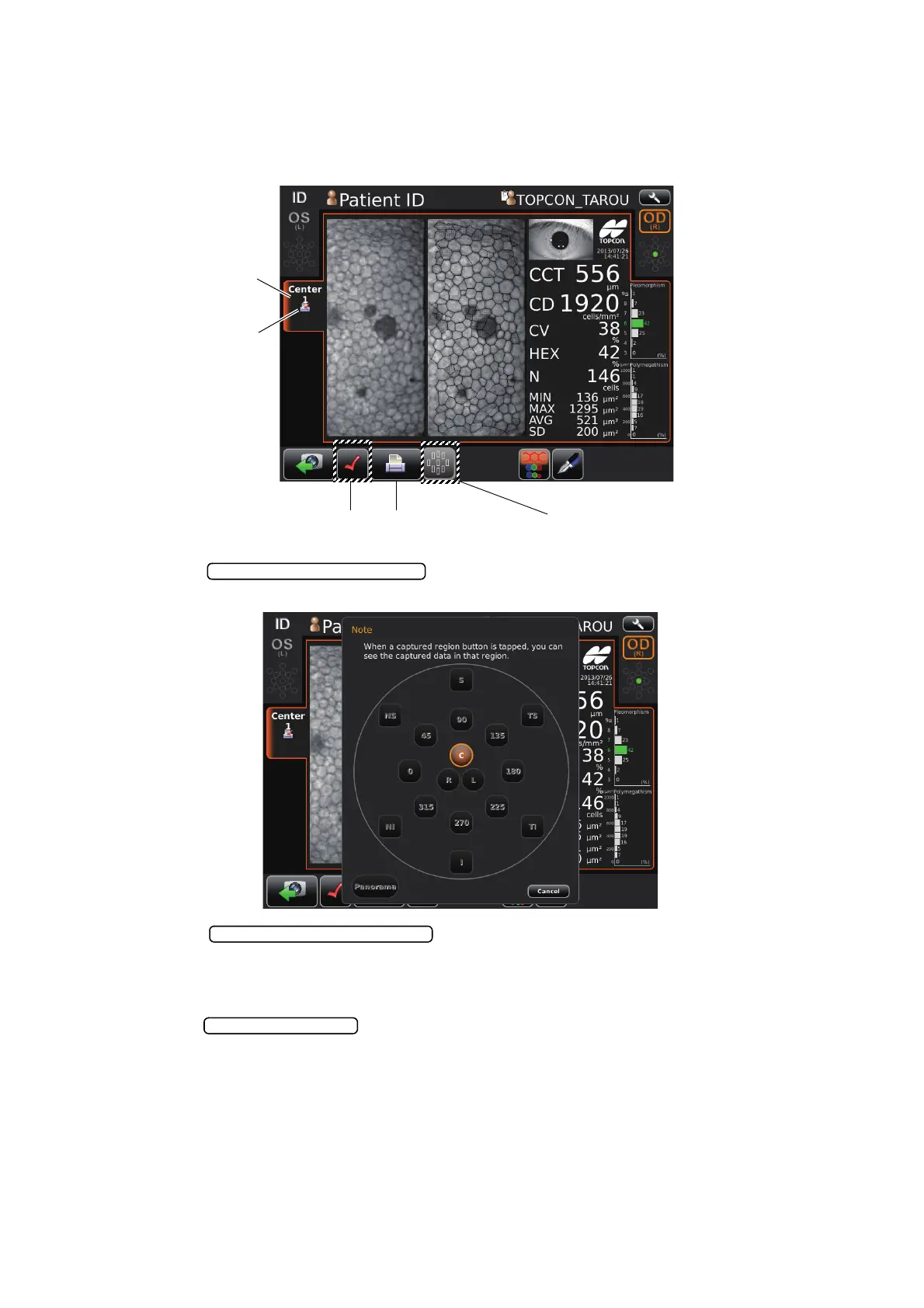
6 If photographing of the required position is complete, select the result for printing position.
Tap the , the chart of all captured region is displayed. If tapping
each button of region, each analysis result of region is displayed for checking.
7 Tap the while the specified image for printing displays on the
screen.
Print/output reservation mark appears on the photographing position tab, then the print reserva-
tion is complete.
8 Tap the to print the reservation result of photography.
Print/Output buttonPrint/Output reservation button
Photographing position tab
Print/Output reservation
mark
Captured region display button
Captured region display button
Print/Output reservation button



 To Next Page