49
OPTIONAL OPERATIONS
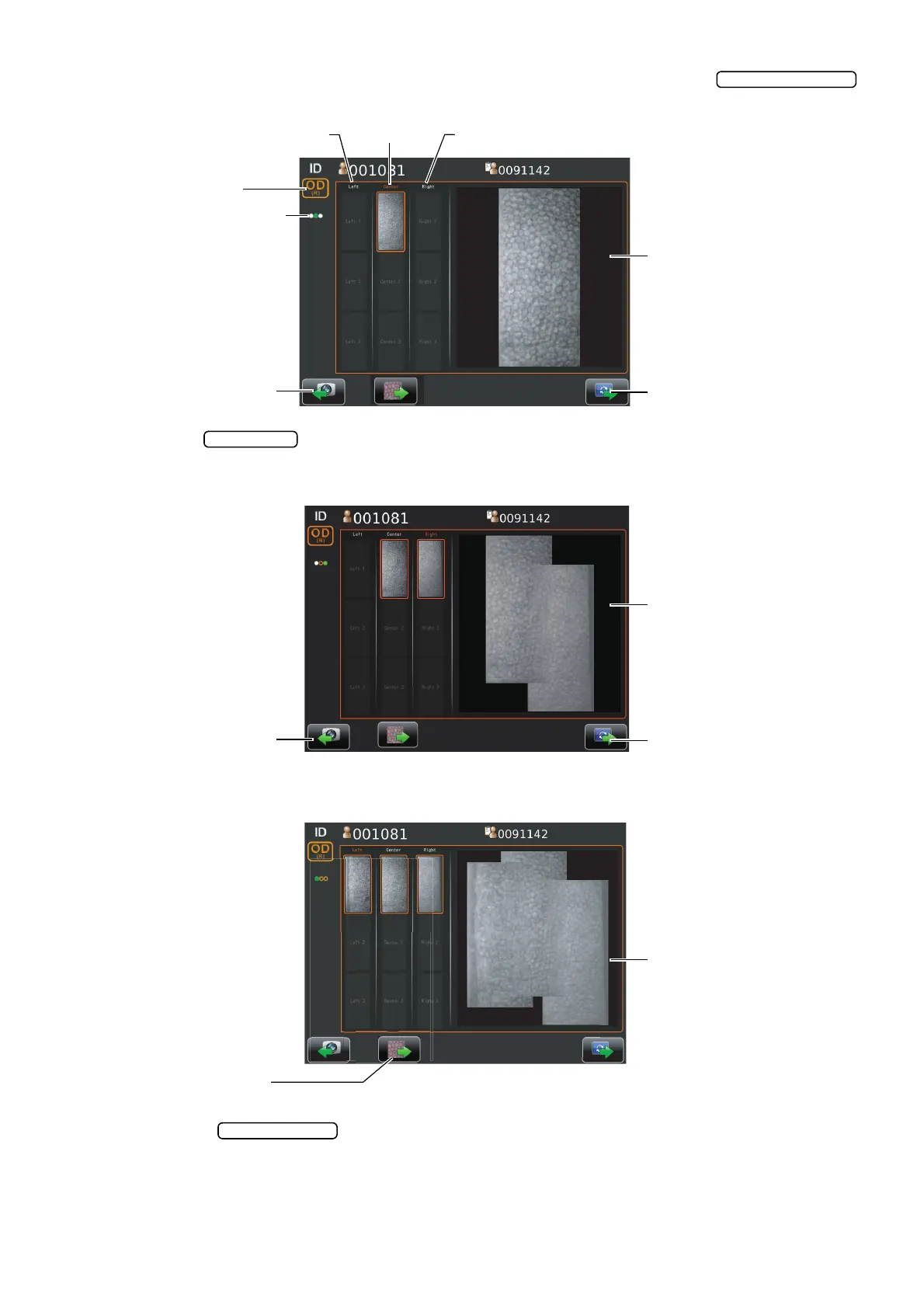
8 Check the result of photography. If photography is required again, tap the
button.
9 Tap the to photograph next position.
The capture screen is shown. Photograph the same manner in Step4-7 (page 48).
The image is displayed in combined image with previous one.
Repeat checking the photographing image and photographing next position in the same manner
so that photographing is performed at 3points.
10 Tap the , "Do you want analyzed using the combined image?" is displayed.
If tapping "Combined image", the analyzing image is displayed in combined image.
The analyzing of using combined image is available after photographing 2 points.
Next button
Result of photography
Rephotographing button
Center Right sideLeft side
Photographing point display
OD button/OS button
Rephotographing button
Result of photography
Next button
Result of photography
Analyze button



 To Next Page