Entering Sensor Information
P/N 7010-0697
3-7
9. Press Next to access the Stick Sensor screen.
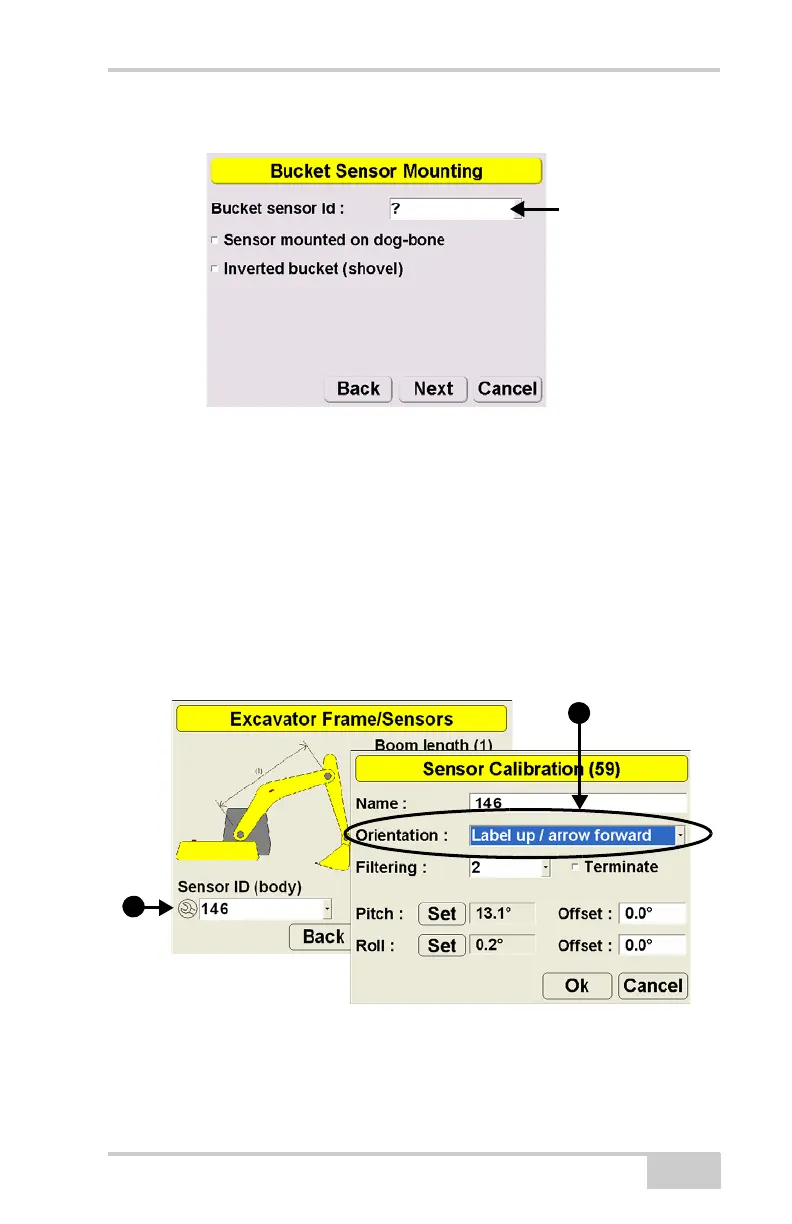
Figure 3-3. Select Bucket Sensor ID
10. Repeat steps 4 and 5 for the bucket sensor.
Step 2: Set sensor orientations for the machine elements.
1. Navigate to the Excavator Frame/Sensor screen.
2. Tap the Wrench icon for the sensor.
3. Tap the Orientation box and select the physical orientation of the
mounted sensor. Press Ok.
Figure 3-4. Select Sensor Orientation
4. Repeat steps 2 and 3 for the remaining frame sensor(s).
5. Press Next and repeat steps 2 and 3 for the stick sensor.



 To Next Page