Machine Calibration
X63/X62 Installation and Calibration Manual
3-32
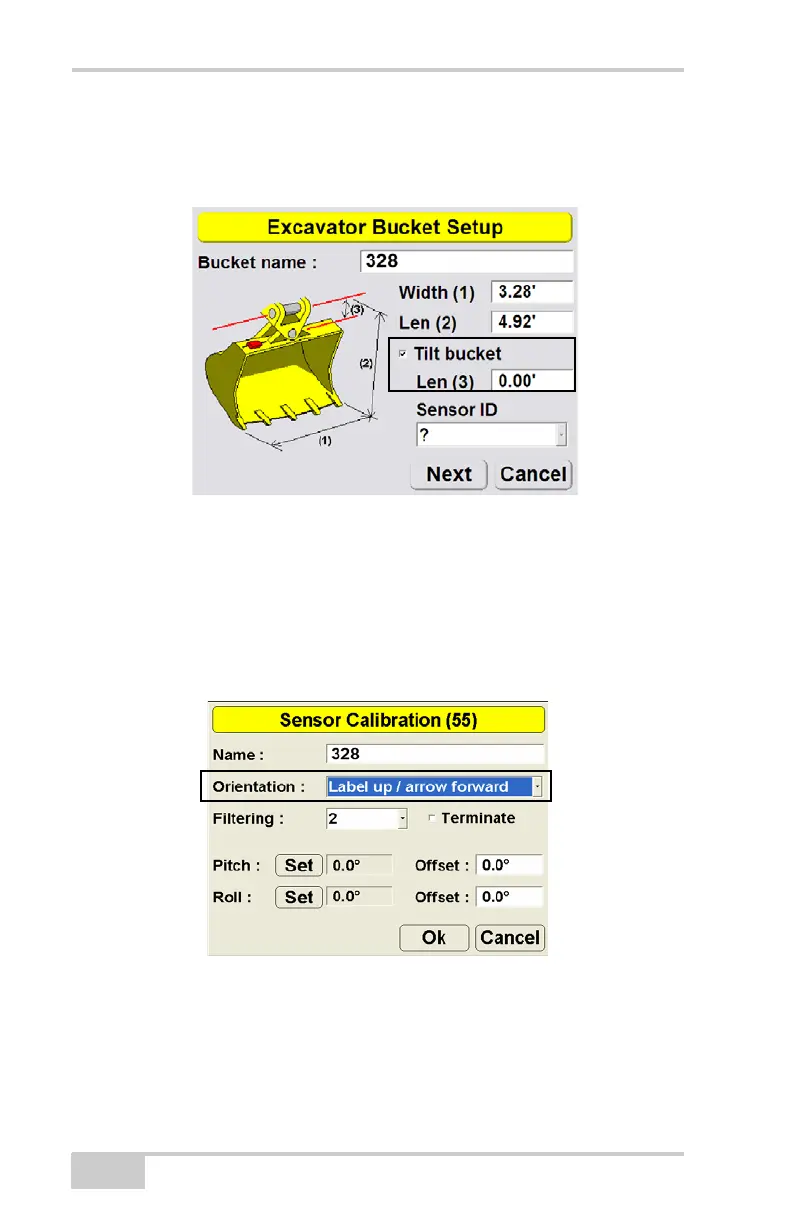
4. Enter the tilt bucket Length (3) and select a Sensor ID for the tilt
bucket sensor. Press Next.
Figure 3-32. Enter Tilt Bucket Measurements
5. Adjust the bucket until the tilt pin is horizontal.
6. Using a carpenter’s level, adjust the bucket tilt until the bucket is
level.
7. In 3DMC, select the sensor’s Orientation based on this position
(Figure 3-33).
Figure 3-33. Select Tilt Sensor Orientation



 To Next Page