Verifying Elevation Accuracy
P/N 7010-0697
4-3
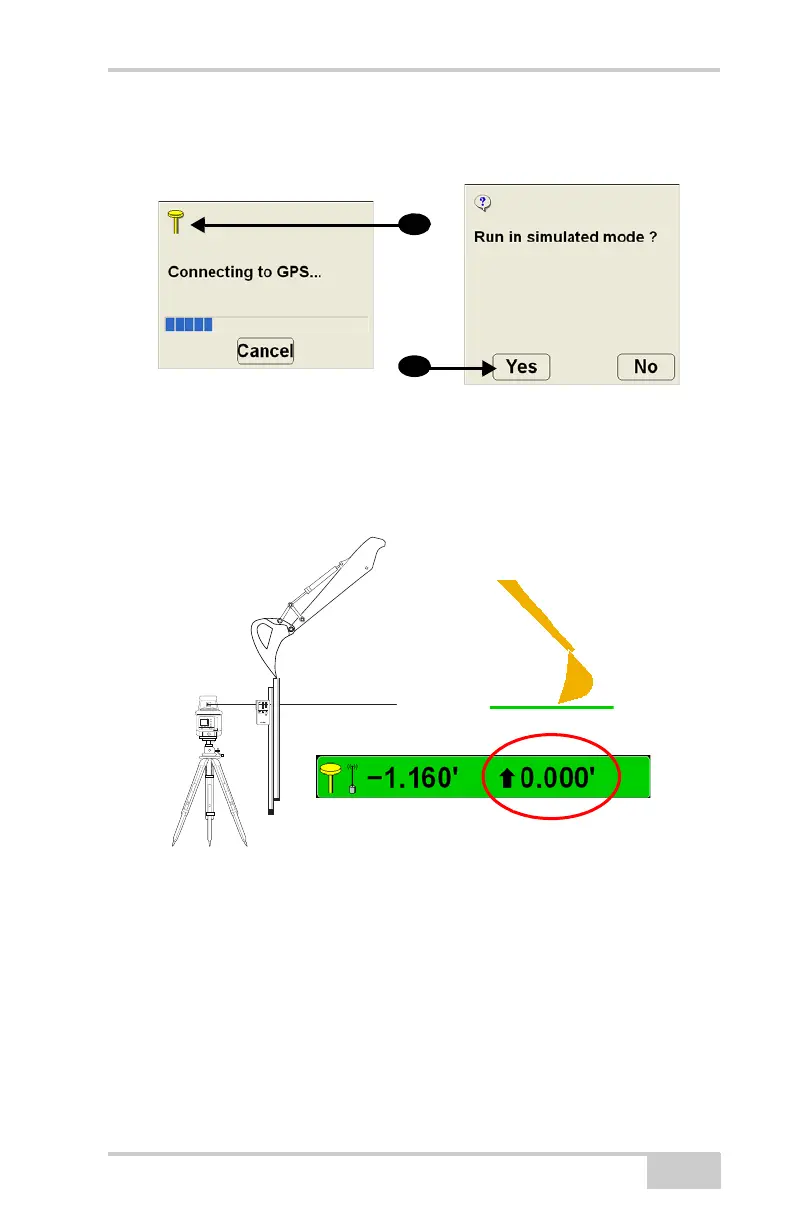
2. At the Connecting to GPS screen, press the antenna icon and
press Yes at the confirmation (Figure 4-2).
Figure 4-2. Enter 3DMC Simulation
3. In front of the machine, set up a laser and grade rod with detector.
4. Position the bucket teeth on the top of the grade rod and press the
Elevation Control Key. Press match to set the cut/fill value to
zero.
Figure 4-3. Set Elevation to Zero
5. Move the boom, stick, or bucket to change the bucket height.
6. Re-position the grade rod so the bucket teeth rest on the rod. The
cut/fill value in 3DMC should match the grade rod elevation.



 To Next Page