3. Find the Main Disconnect switch, and then remove the
hang tag (if present).
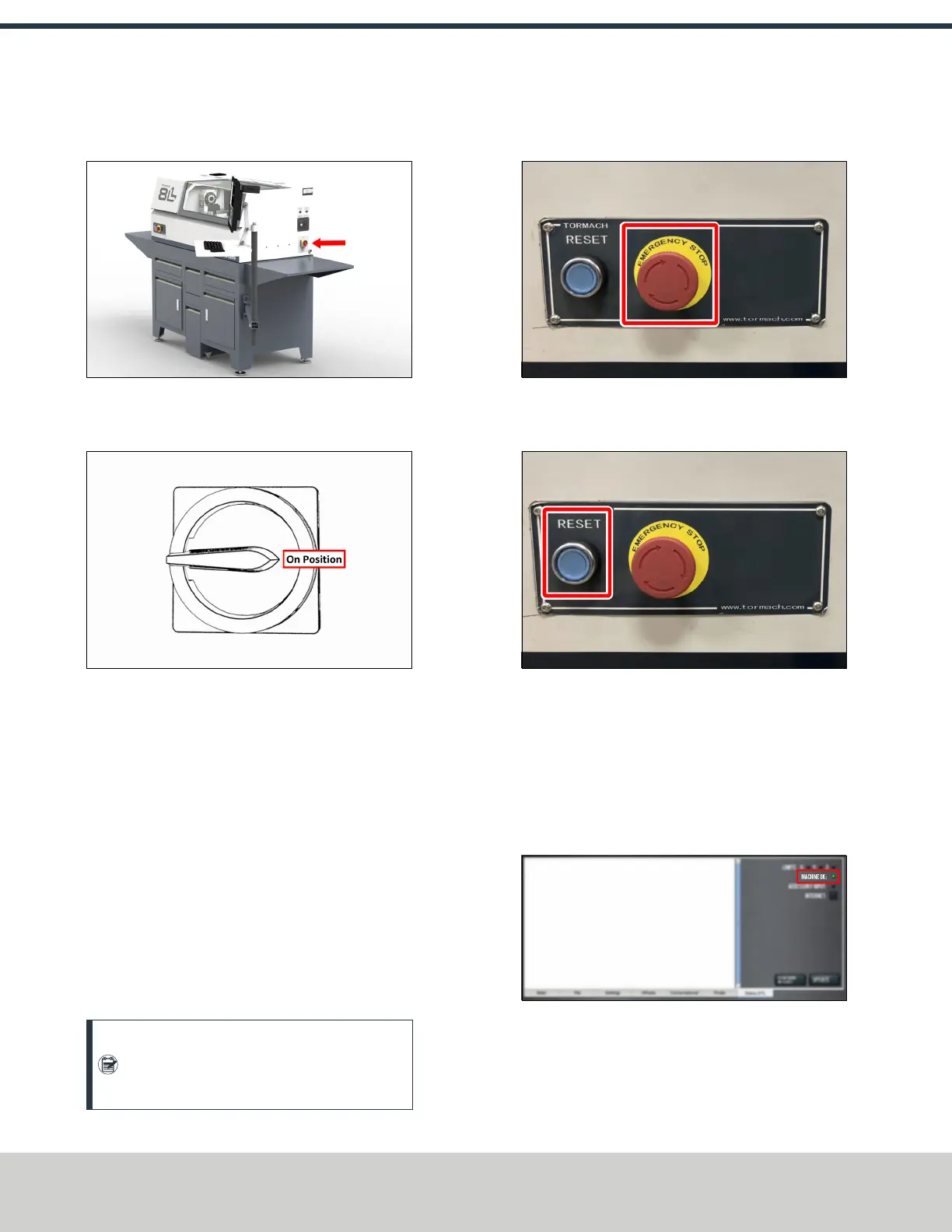
Figure 4-26: The Main Disconnect switch on the side
of the machine's electrical cabinet.
4. Turn the Main Disconnect switch to ON.
Figure 4-27: Example of the Main Disconnect switch
in the On position.
Mains power is now connected to the machine.
5. Push the Power button on the PathPilot controller.
The PathPilot controller is now powered on.
6. Push the Power button on the monitor.
The monitor is now powered on.
7. On the Tormach Machine Configuration screen, verify
that the version displayed in the lower right-hand corner
is at least v2.7.0. If the version is older (or if no version is
displayed), select Update.
8. Follow the on-screen instructions to configure the
PathPilot operating system and PathPilot controller.
When configuration is complete, the PathPilot operating
system launches.
Note: After you first configure PathPilot, the
operating system automatically launches
whenever it's powered on.
9. Rotate the Emergency Stop button on the operator box
one-quarter turn clockwise to release it.
Figure 4-28: The Emergency Stop button on the
operator box.
10. Push the blue Reset button to enable the machine.
Figure 4-29: The Reset button on the operator box.
The axis drives are now powered on.
11. Verify that the blue Reset LED on the operator box
comes on. From the PathPilot interface, on the Status
tab, verify that the Machine OK light changes from
yellow to green.
Once both are on, the machine is powered on and ready
to operate.
Figure 4-30: Machine OKlight on the Status tab.
©Tormach® 2021
Specifications subject to change without notice.
Page 34 UM10753: 8L Operator's Manual (Version 0321B)
For the most recent version, see tormach.com/support
4: INSTALLATION



 To Next Page