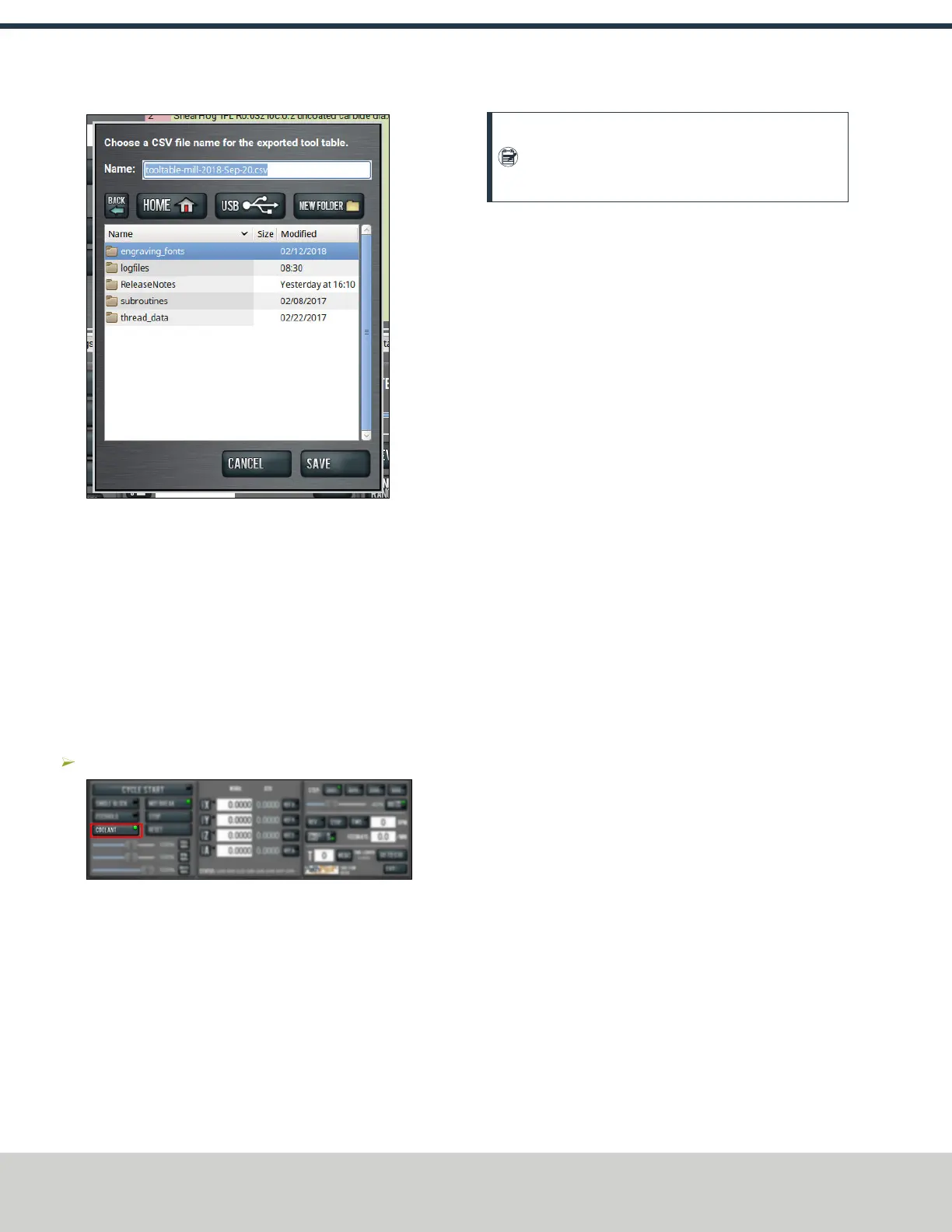
Figure 6-19: Export dialog box.
2. In the Name DROfield, type the name for the .csv file.
3. Select Save.
The .csv file is saved in the File tab.
4. From the File tab, select the newly created .csv file, and
then select Copy to USB.
5. Select Eject.
It's safe to remove the USB drive from the controller.
6.10 OPERATE THE COOLANT PUMP
To turn coolant on or off:
Select Coolant.
Figure 6-20: Coolant button.
For more information on turning on and off coolant, see
"About Coolant" (below).
6.10.1 About Coolant
In the PathPilot interface, the Coolant button controls the
machine's coolant pump power outlet. The Coolant button’s
light shows the current state of the outlet: the light is on when
the outlet has power; the light is off when the outlet does not
have power.
Note: The Coolant button is equivalent to using an
M08 (coolant on) or M09 (coolant off) command in
the G-code program.
Use the Coolant button before or after a program is running,
while a program is running, or while you are using manual
data input (MDI) commands.
©Tormach® 2021
Specifications subject to change without notice.
Page 52 UM10753: 8L Operator's Manual (Version 0321B)
For the most recent version, see tormach.com/support
6: BASIC OPERATIONS



 To Next Page