4. Depending on which workholding option you're using, do
one of the following:
l
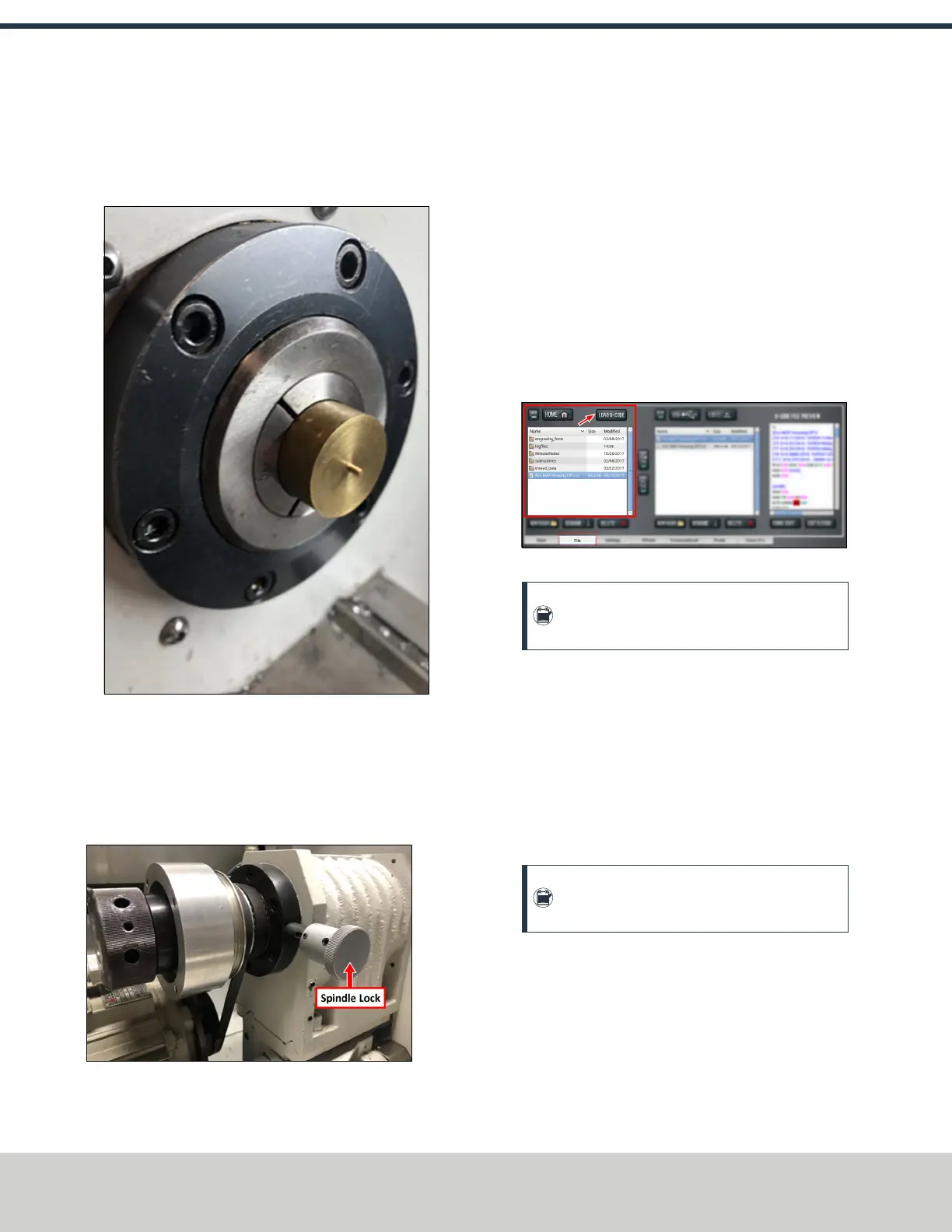
5CCollet Put a piece of stock into the collet, and
adjust the length of the stock in the cutting area.
Figure 6-10: Material installed into the collet.
l
Chuck You'll install the stock after the drawtube and
the chuck are securely tightened.
5. Gently push on the spindle lock and rotate the spindle
with your hand. Stop rotating the spindle once you feel
the lock engage.
Figure 6-11: Spindle lock.
6. Hold the spindle lock with one hand and, using the other
hand, tighten the draw tube with the (provided) spanner
wrench until the draw tube is tight.
6.7 LOAD G-CODE
To run a G-code program on a PathPilot controller, you must
first verify that the file is on the controller. For more
information on transferring and moving files, see "Transfer
Files to and From the Controller" (below).
To load G-code:
1. From the File tab, in the Controller Files window, select
the desired .nc file.
2. Select Load G-Code.
Figure 6-12: Controller Files window on the File tab.
Note: This function is only available for files
stored on the PathPilot controller.
PathPilot loads the G-code file and opens the Main tab.
6.7.1 Transfer Files to and From the Controller
To run a G-code program, you must transfer the files to the
PathPilot controller. For information, see About System Files.
To transfer files to and from the controller:
1. Insert a USB drive into any open USB port.
2. From the File tab, select the file to transfer (either in the
USBFiles window or the Controller Files window).
Note: Select Back to move backward and either
Home or USB to move to the highest level.
3. Select the location to which you want to copy the
transferred file.
©Tormach® 2021
Specifications subject to change without notice.
Page 48 UM10753: 8L Operator's Manual (Version 0321B)
For the most recent version, see tormach.com/support
6: BASIC OPERATIONS



 To Next Page