3. Use the keyboard to verify axes motion:
l Select the Up Arrow key and then the Down Arrow
key.
The carriage moves away from you (X+), then toward
you (X-).
l Select the Right Arrow key and then the Left Arrow
key.
The carriage moves right (Z+), then left (Z-).
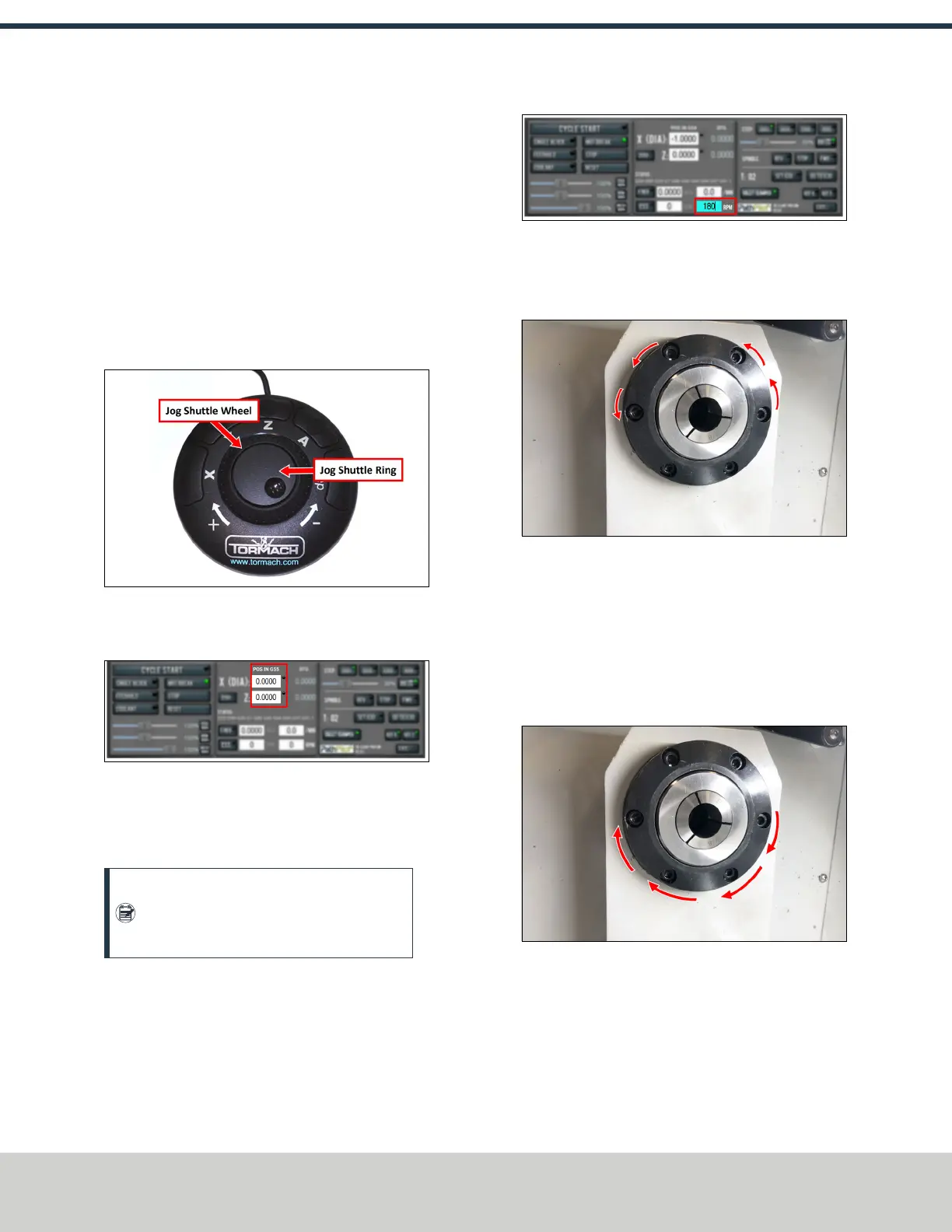
4. If applicable, verify the optional JogShuttle:
l Press any axis button on the JogShuttle — X, Y, Z, or
A — to select an axis.
Figure 4-36: Functions on the optional JogShuttle.
From the PathPilot interface, on the Main tab, the
corresponding green Axis light comes on.
Figure 4-37: Axis lights.
l Turn the Jog Shuttle Ring in any direction to move the
selected axis, then turn it in the opposite direction to
reverse the direction.
Note: On this machine, two of the axis
selection buttons – Y-axis and A-axis – won't
result in any motion if selected.
Verify Spindle Function
You must confirm that the spindle correctly operates.
1. From the PathPilot interface, in the RPM DROfield, type
180. Then select the Enter key.
2. Select FWD.
Figure 4-38: Spindle controls.
The spindle rotates clockwise at 180 rpm.
3. Examine the spindle direction: verify that it's rotating
counterclockwise, as shown in the following image.
Figure 4-39: Spindle rotating counterclockwise, in the
correct forward direction.
4. Select STOP.
The spindle stops rotating.
5. Select REV.
The spindle rotates clockwise at 180 rpm.
6. Examine the spindle direction: verify that it's rotating
clockwise, as shown in the following image.
Figure 4-40: Spindle rotating clockwise, in the correct
reverse direction.
7. Select Stop.
The spindle stops rotating.
4.7 INSTALL ACCESSORY COMPONENTS
Install accessory components in the order specified, skipping
any components that you don't have.
©Tormach® 2021
Specifications subject to change without notice.
Page 36 UM10753: 8L Operator's Manual (Version 0321B)
For the most recent version, see tormach.com/support
4: INSTALLATION



 To Next Page