TPT Wirebonder www.tpt.de Page 16 of 53 September 2016
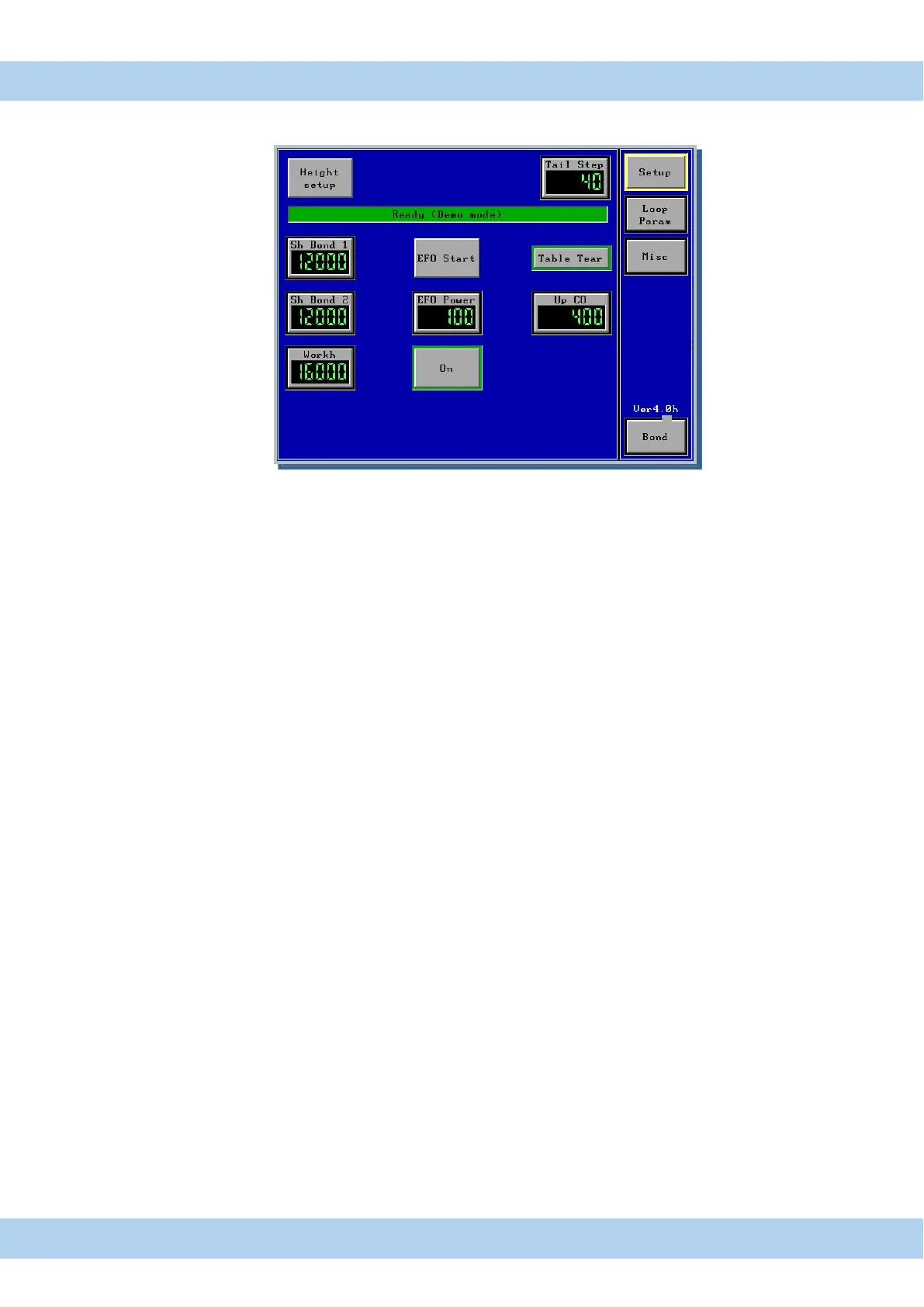
15. Menu Setup Ball Bonder Touch Panel Display
Ballbond Mode
Setup Setup Menu for Height adjustment, Tail adjustment and EFO adjustment
Loop Param loop Parameter Menu for loop profile programming Only HB12/14/16 Bonder
Misc Menu for light adjusted , and all parameter saved/load to USB & Bonder
Bond timer displayed, Motor speed and search speed
. Bond Bond menu, here are all Bond parameter displayed
Height Setup button for Auto height Set Up ( see page 33) Reset with Feed Button
Test USG button for test of US-Energy
. Sh Bond 1 button for 1st. search height adjustment
. Sh Bond 2 button for 2nd search height adjustment
. Work h button for upper work height position ( Bond tool )
. Table Tear Change Tail Mode between “Table Tear” and “Clamp Feed”
EFO Start Button to activate EFO Wand ( Only Ball Bonder )
EFO Power Button for Value EFO Power/ Energy
ON/OFF ON = EFO starts automatically after 2
nd
Bond
OFF = EFO start only by pushing Start button
Up CO after second bond bondhead move this parameter upwards,
then clamp is closing and cut the wire.
All changed program values are automatic saved in displayed program number



 To Next Page