TPT Wirebonder www.tpt.de Page 3 of 53 September 2016
2. Quickstart
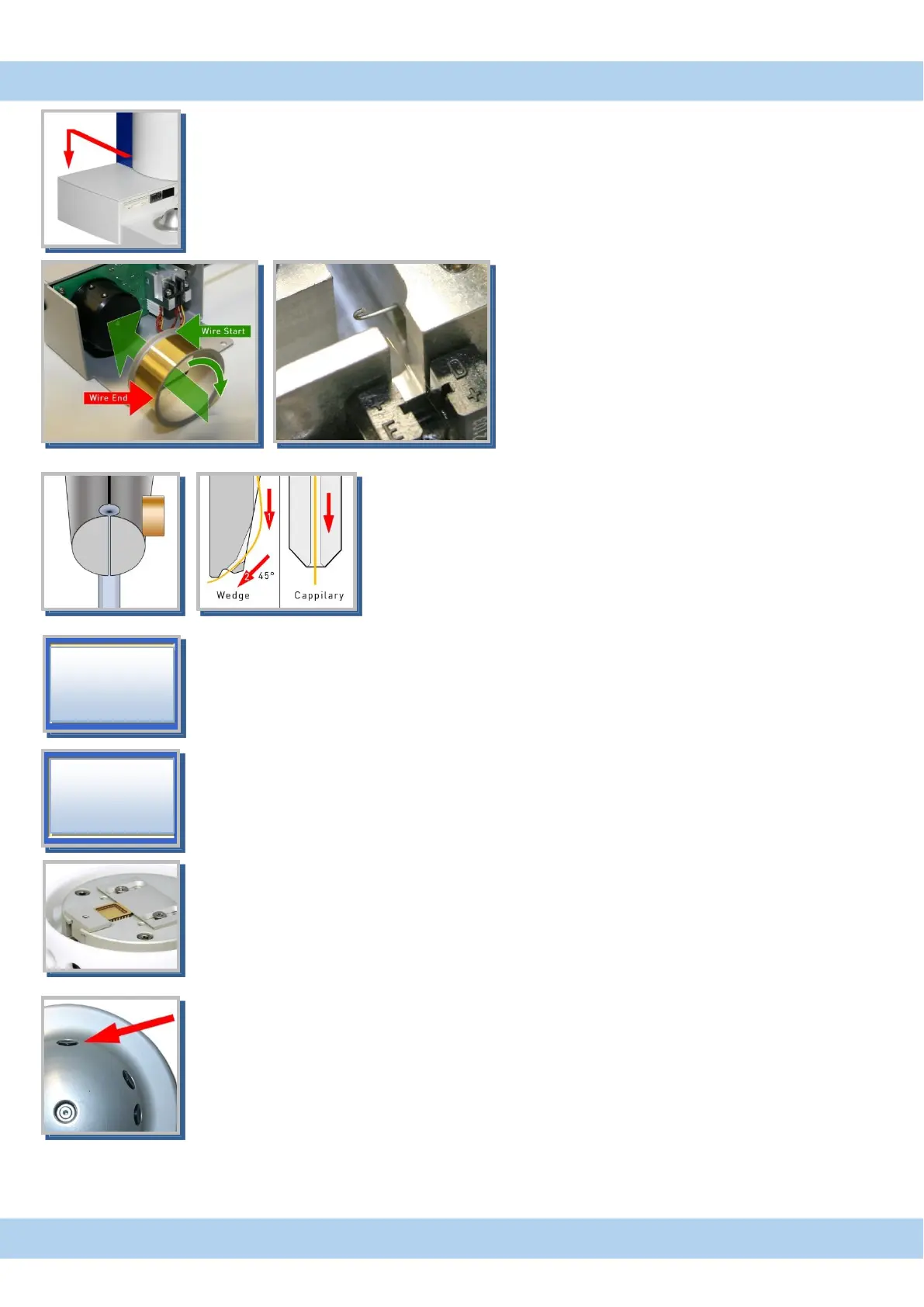
1. Switch on
Built in PC boot DOS and load software.
Software check motors and set clamp in middle position.
Bonder can be switch off at any time, last settings are save.
2. Loading wire to motorized wirespool
Thread wire to metal tube with the
aid of thick wire with a hook
Then thread wire to glass tube at bondhead
3. Install Wedge Tool or Capillary
Tool have to be flush with the top of trasducer
tight tool with 35 Ncm
4. Thread wire to bond tool.
5. Tail adjustment
set bonder to Ball or Wedge bonding an check Tail parameter
6. Height and Y-way settings
go to menu „Axis Setup”
press „setup“ and press bond button (start button) on control puck to measuring the bond
heights. Set Loop height and Y-way parameters.
If you change parameters in menu „axis setup“ you have to press „enter“ to save change.
7. Place substrate to work holder
Make sure your bonding part is hold properly and plain to the surface
8. Go to menu „Bond“
set parameters for first and second bond.
move to first bond-surface and press and hold bond button on control puck,
hold button to stay on search height (200µ over surface) then you can target exactly.
Release button to bond.



 To Next Page