TPT Wirebonder www.tpt.de Page 17 of 53 September 2016
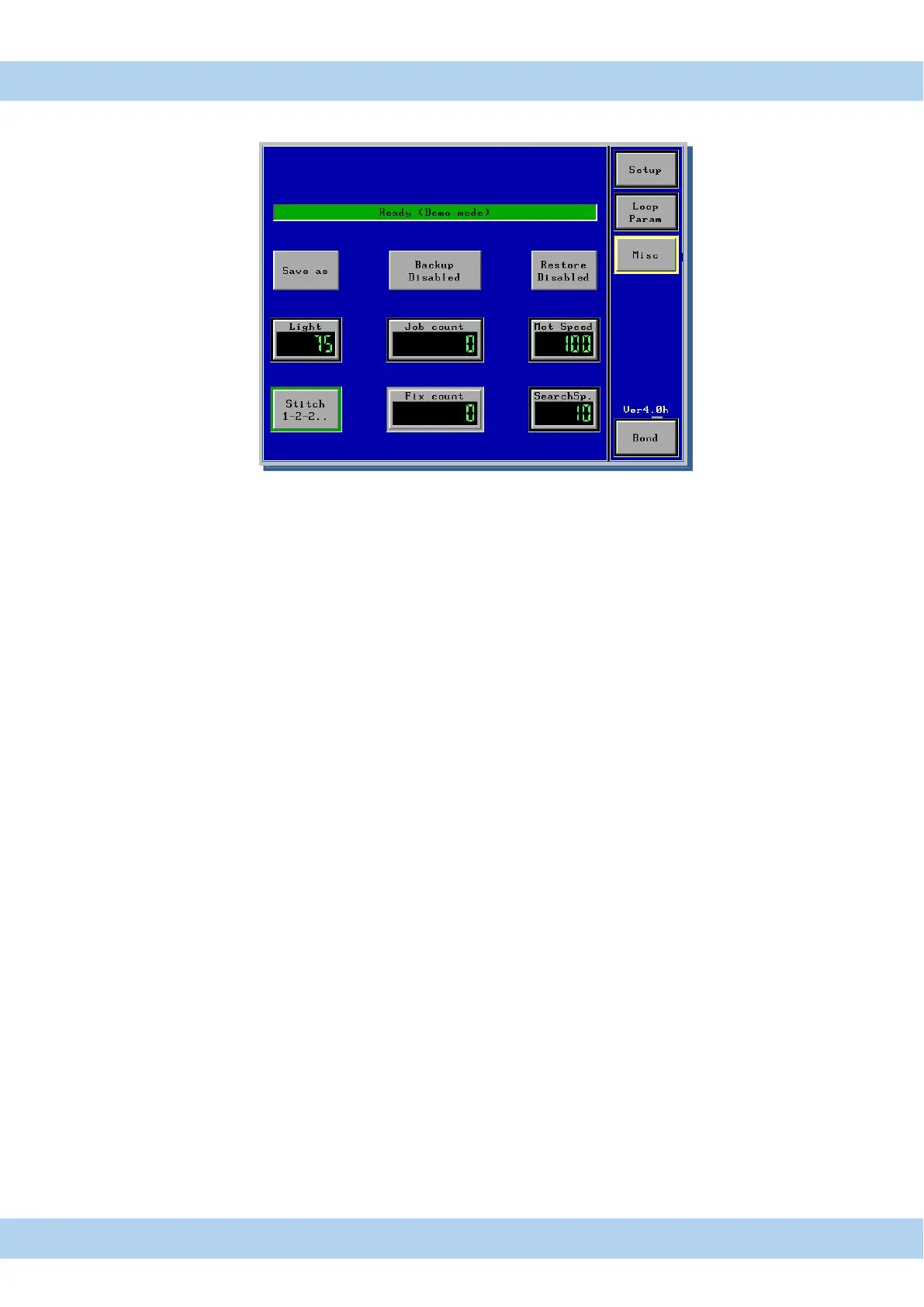
16. Menu Misc Touch Panel Display
Setup Setup Menu for Height adjustment, Tail adjustment and EFO adjustment
Loop Param loop Parameter Menu for loop profile programming Only HB12/14/16 Bonder
Misc Menu for light adjusted , and all parameter saved/load to USB & Bonder
Bond timer displayed, Motor speed and search speed
. Bond Bond menu, here are all Bond parameter displayed
Save as Save Program to new program number
Backup backup all programs to USB Stick
Restore Restore all programs from USB Stick
Light switch to set light value
Job Counter reset able counter, push and hold 3 sec.
Fix Counter Bond counter not reset able
Mot. Speed button to change Motor speed from 20-100%
SearchSp. to change search speed from 10 to 50%
Stitch Button to change stitch Mode from 1-2-2 to 1-2-1
All changed program values are automatic saved in displayed program number



 To Next Page