TPT Wirebonder www.tpt.de Page 47 of 53 September 2016
42. Height Setup in Menu Bond and Setup
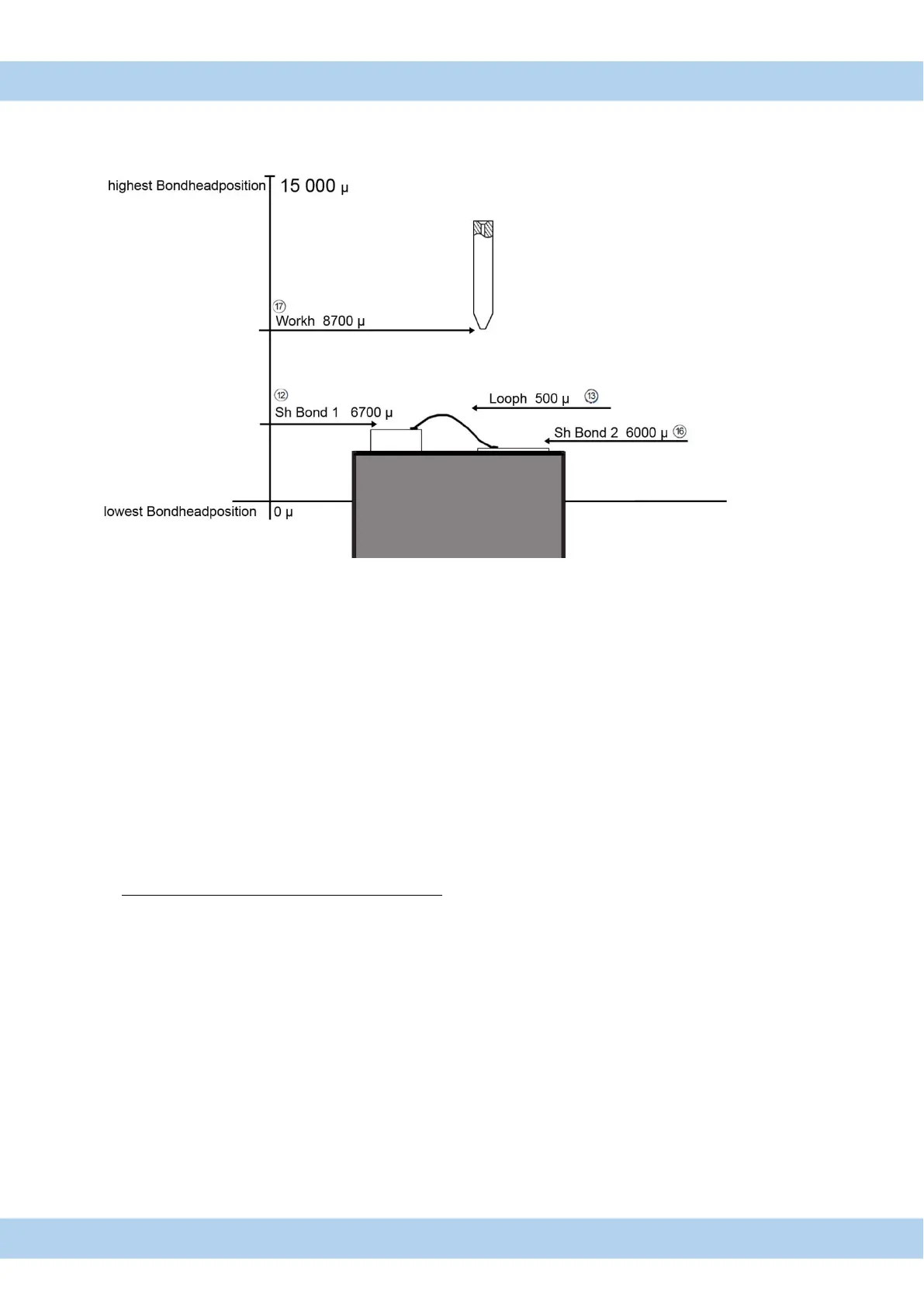
Height Setup Button is used to find automatically
Search height for 1
st
and 2
nd
Bond and Work height.
Setup procedure:
1. Press Height Setup Button (Page 11)
2. Press Start Button on Control-Puck ( Page 23 Figure 15-1 )
Bondtool is moving to 1
st
Bond level .
Measured Height plus 200 is Displayed in “Sh Bond1 “ in Menu Setup
3. Press Start Button on Control-Puck ( Page 23 Figure 15-1 )
Bondtool is moving to 2
nd.
Bond level
Measured Height plus 200 is Displayed in Sh Bond 2 in Menu Setup
4. At Ball bonding Mode Press Start Button again
Work-Height = Measured EFO Arm distance to Bondtool
5. Loop Height will not change at Setup procedure
6. Work-Height is set automatic to 2000 after Bond level
Set up procedure can be done every time
All changed program values are automatic saved in displayed program number



 To Next Page