TPT Wirebonder www.tpt.de Page 18 of 53 September 2016
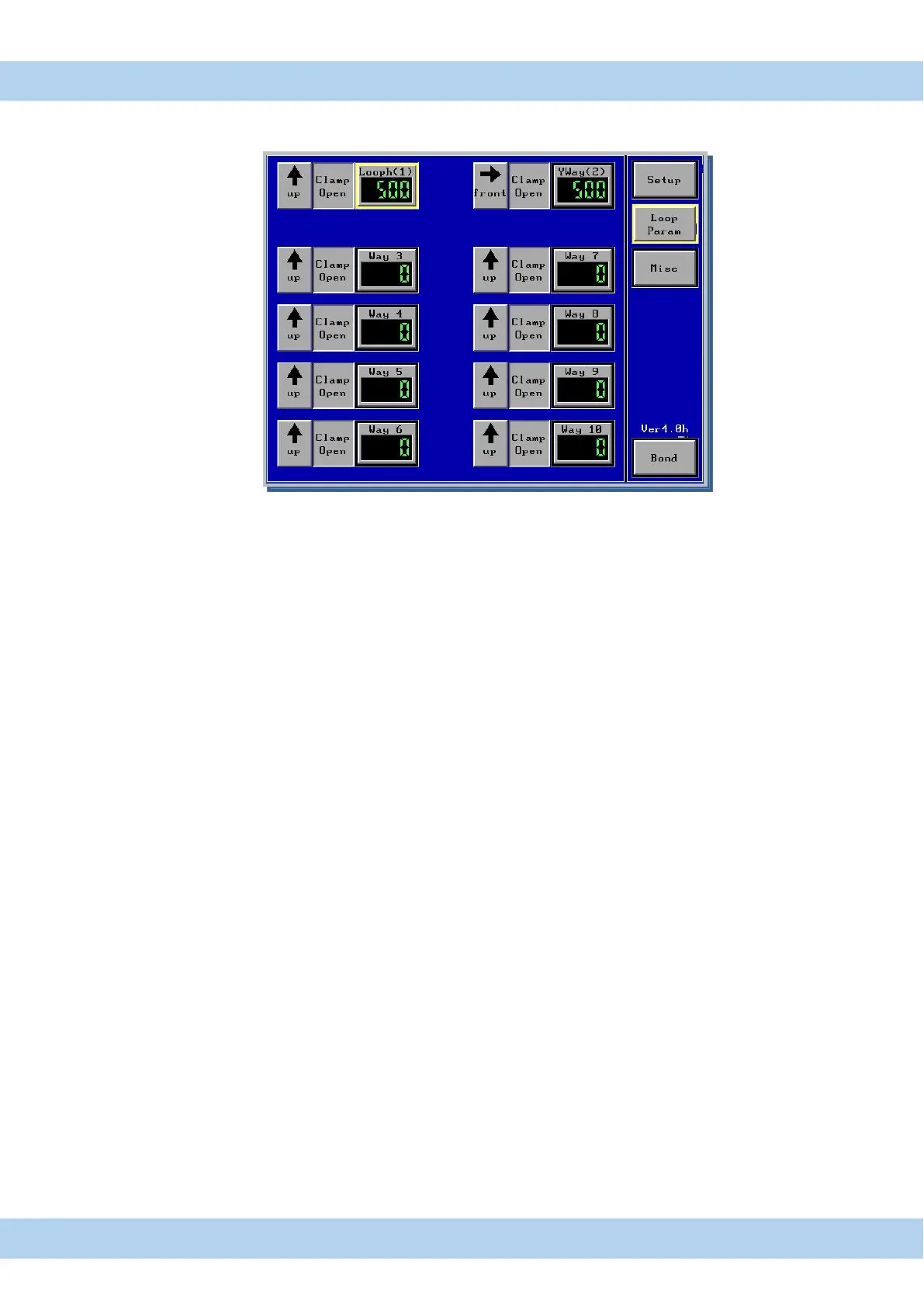
17. Menu Loop Parameter Touch Panel Display
Only HB12/14/16 Bonder
Loop Profile Software can be used to create Loop shape with maximum 10 Steps
Setup Setup Menu for Height adjustment, Tail adjustment and EFO adjustment
Loop Param loop Parameter Menu for loop profile programming Only HB12/14/16 Bonder
Misc Menu for light adjusted , and all parameter saved/load to USB & Bonder
Bond timer displayed, Motor speed and search speed
. Bond Bond menu, here are all Bond parameter displayed
Arrow Button to adjust direction of Bond head movement,
↑ Z up,
↓ Z down,
→ Y forward,
← Y backward
CO/CC Movement with closed or open clamp
0000 travel distance in Micron
All changed program values are automatic saved in displayed program number



 To Next Page