TPT Wirebonder www.tpt.de Page 43 of 53 September 2016
37. TDSW Touch Down Switch adjustment
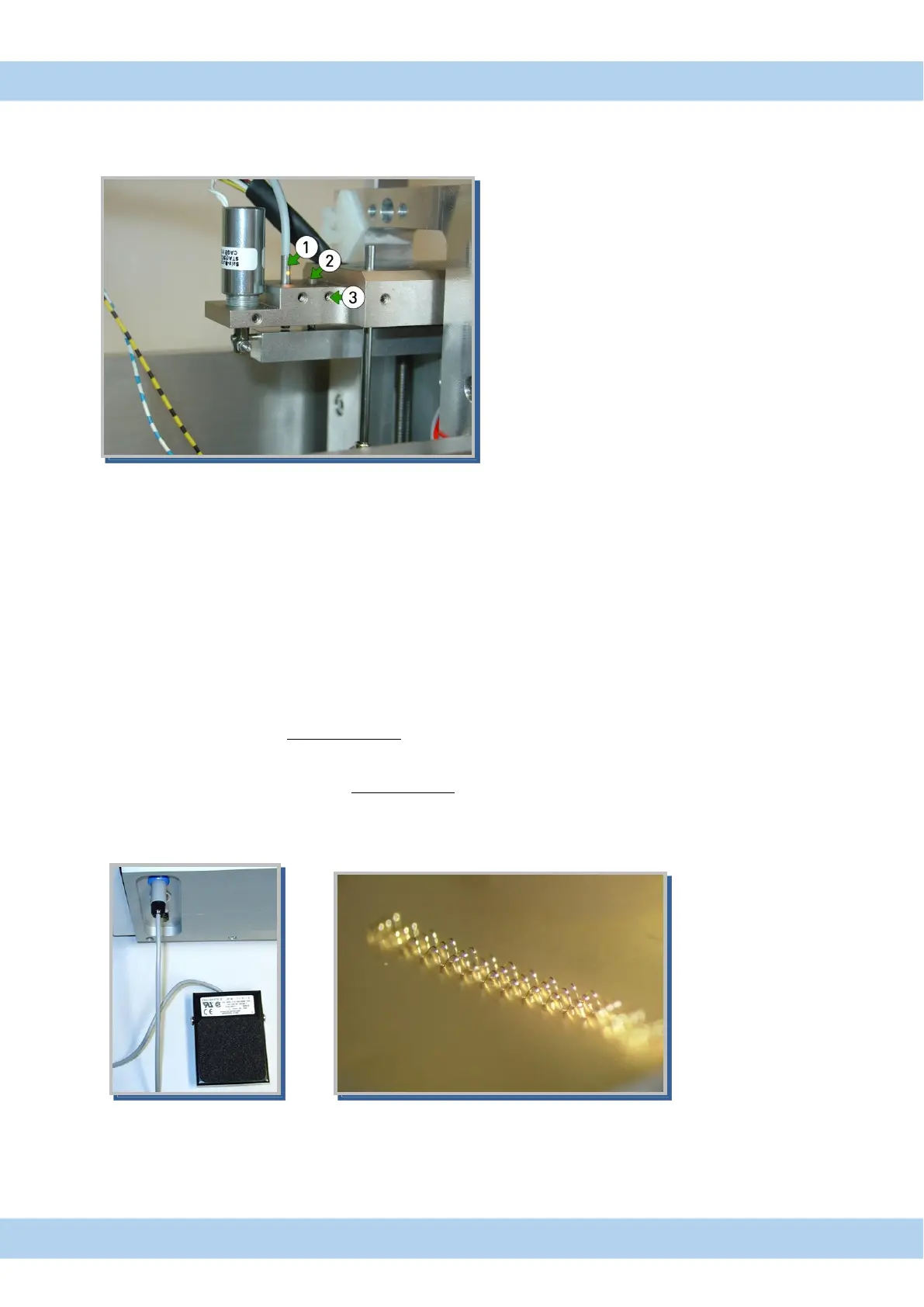
If Z-movement not works please check TDSW (touch-down-switch).
Yellow light has to be on, that means ready for bond (no touchdown).
1. TDSW Touch Down Switch
2. Stop screw
3. Set screw for stop screw
Figure 23 TDSW Touch Down Switch
To adjust TDSW open set screw (3) screw and adjust stop screw (2) until light is shine from TSDW (1)
38. Stitch Bonding and Dynamic Search
Stitch Bonding is option H58
The HB has basic 1-2-2 and 1-2-1 bond parameter capability. In 1-2-2 stitching mode, the first bond
parameters are applied for the first bond, and second bond parameters are applied at subsequent bonds.
Stitch Foot switch is connected on back of Bonder.
I
A: If Foot switch is activate before first Bond, then automatically 3 Bonds are
Bonded, before Terminating wire.
B: When the Foot switch is actuated after first bond, the bonder will not terminate the bonding cycle after Foot
switch is released.
Footswitch Stitch bonding



 To Next Page