TR-Electronic GmbH 2008, All Rights Reserved Printed in the Federal Republic of Germany
Page 140 of 155 TR - ECE - BA - DGB - 0073 - 07 06/27/2017
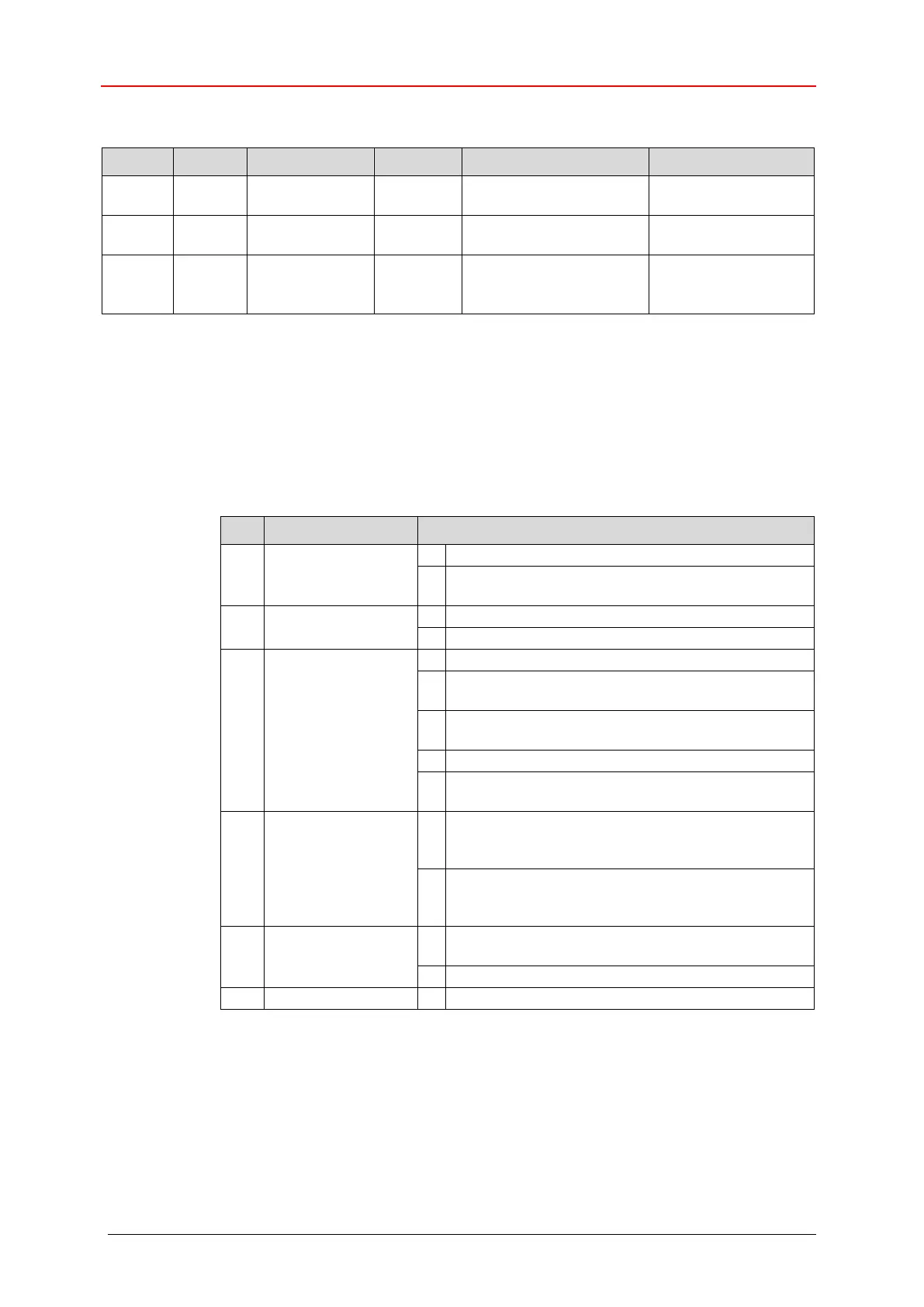
7.9.3 Instance 1, Attributes
Interface speed
currently in use [MBit/s]
Interface status flags,
see below
MAC Layer Address
(HEX),
see also page 98
Device dependent
e.g.:
00 03 12 07 00 0D
Table 27: Ethernet Link, Overview of the instance attributes
7.9.3.1 Attribute 0x02, Interface Flags
The Interface Flags attribute contains status and configuration information about
the physical interface and is defined as follows:
Indicates an inactive link
Indicates an active link
see also Bus status display, page 96
Auto-negotiation in progress
Auto-negotiation and speed detection failed. Using
default values for speed and duplex.
Auto negotiation failed but detected speed. Duplex
was defaulted.
Successfully negotiated speed and duplex.
Auto-negotiation not attempted. Forced speed and
duplex.
Manual Setting
Requires Reset
Indicates the interface can activate changes to link
parameters (auto-negotiate, duplex mode, interface
speed) automatically.
Indicates the device requires a Reset service be
issued to its Identity Object in order for the changes
to take effect.
Indicates the interface detects no local hardware
fault
Indicates a local hardware fault is detected










 To Next Page