TR-Electronic GmbH 2008, All Rights Reserved Printed in the Federal Republic of Germany
Page 142 of 155 TR - ECE - BA - DGB - 0073 - 07 06/27/2017
9 Commissioning - Support
9.1 IP configuration via DHCP server
9.1.1 Prerequisite
● DHCP server utility from Rockwell Automation (free of charge):
– Program name: BOOTP/DHCP Server Utility
– Download: http://www.ab.com/networks/bootp.html
– If the Rockwell control system "Logix" is used, the BOOTP/DHCP server
utility is a component of the control software.
● The program is suitable for the installation on a PC with WINDOWS
®
operating
system. DHCP server and measuring system must be located in the same
network segment.
9.1.2 Procedure
1. Connect the measuring system with the DHCP server
Make sure that the measuring system works as DHCP client:
– Hardware switches = 0x00 or 0xFF
– Instance Attribute 0x03 Configuration Control = 0x00 00 00 02 -->
Default adjustment!
2. Start the BOOTP/DHCP Server Utility
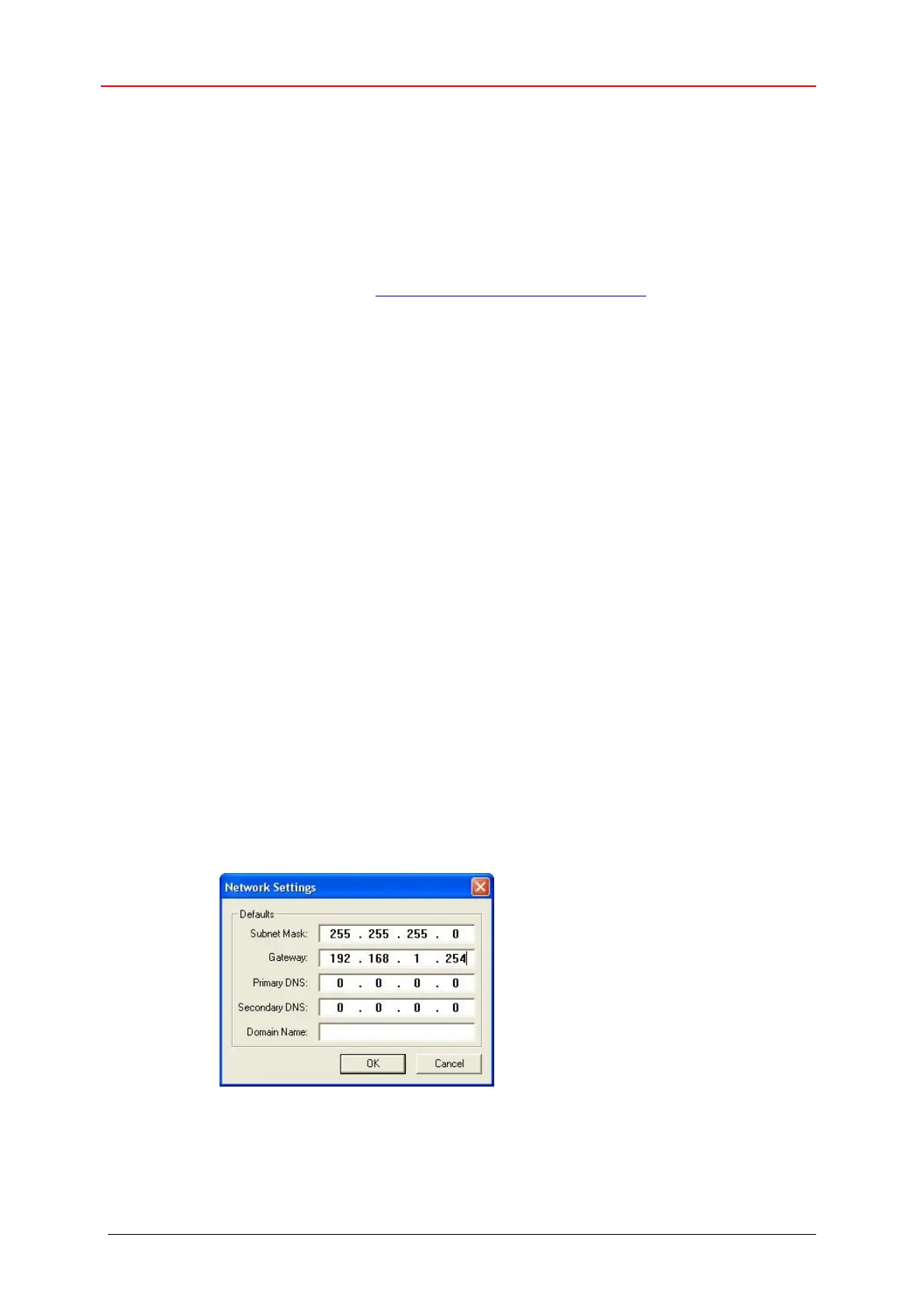
3. The Network Settings dialog under menu Tools --> Network Settings allows you
to enter the following information for an address relation:
Subnet Mask: Enter desired subnet mask
Gateway: Enter desired IP address of the Default Gateway
Primary DNS, Secondary DNS, Domain Name: not supported










 To Next Page