TK 61009-12-OP-EN
21
tteelleemmaattiiccss ssyysstteemmss aarree ccoonnnneecctteedd,, ppoowweerr nneeeeddss ttoo bbee aapppplliieedd ttoo ppiinn 22
aanndd 33..
The TouchLog goes back to the normal mode when pressing any Touch key.
In case an alarm is present, the TouchLog cannot go into sleep mode until
the alarm is cleared.
In power saving mode the DL continues to record data as in the normal
mode (same sensors and sampling period), but:
• Does not allow printing
• Does not show anything on the LCD display.
In power saving mode the consumption of TouchLog is under 10mA (to
allow for use of 50Ah in 4 months).
A 12/24Vdc Power ignition input (KEY) is used for continuous Backlight,
provided the backlight timer is configured as Automatic.
Communication Interfaces
USB Port
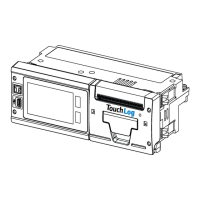
A USB On the Go interface is present on the front panel of the product. The
USB port has a two fold function:
1. This mini USB-port connector will act as a USB device to connect to a PC
to establish the connection with Wintrac, the Thermo King data analysis
software. Refer to “Establishing the Connection,” p. 46 for interface with
Wintrac. The USB device Interface will use the standard device driver
class Communication Device (CDC) that are available with all windows
PCs. No windows host driver development is required.
2. As a USB Host port, to be used for sending logged data to a flash drive.
User can select to receive a soft version of the trip/delivery tickets, in
either a text file (.txt format) or in a portable document format (.pdf) file.
The format is selectable in the USER menu.
Use cases:
• TouchLog allows via the USER menu to choose where to deliver the
data to paper ticket or USB flash drive.
• Trip (or delivery) tickets could be printed in tabular view in the flash
drive.
• Header and the content of the file hosts the same information and in
the same format as if printed on a paper.
PPrroodduucctt OOvveerrvviieeww


 To Next Page