50
TK 61009-12-OP-EN
Again once a parameter has been changed in Wintrac, to make it effective in
the connected TouchLog, the user needs to click on the Update unit button.
NNoottee:: The language parameter can not be modified via Wintrac as the
TouchLog perform a check to make sure the selected language is
available among the glossaries.
Performing Data Download
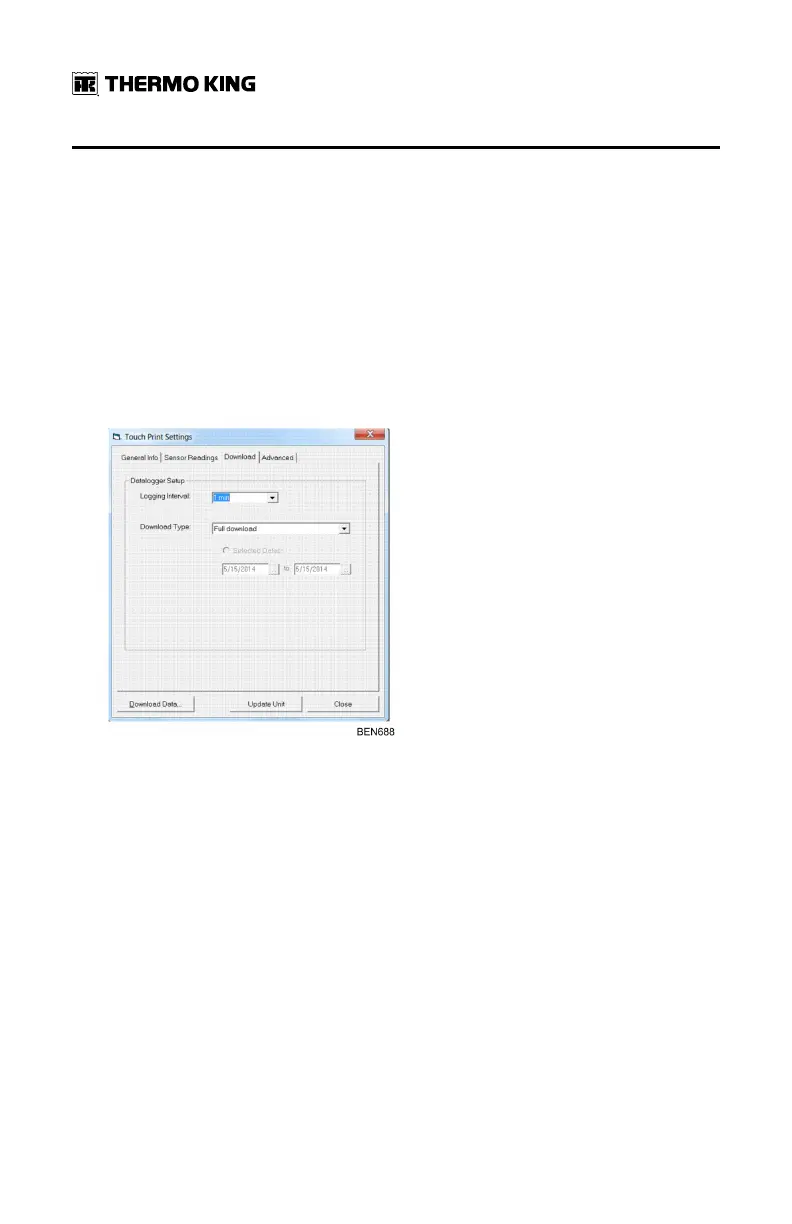
The download tab enables two functions:
• On one hand, the user can view the present logging interval and can
update it by selecting any value between the range of 1 min to 60 min.
• On the other hand, the user has the possibility to download the
TouchLog flash memory. 3 types of download are available:
– Full download for all the inputs records saved in the TouchLog
memory
– Latest data download to retrieve only the non-downloaded data
based on the previous download
– Time based download with a selection between 2 dates.
During the download process, a message appears informing the
operation in progress. The download time will vary depending on the file
size (number of inputs, logging interval) and the type of download
selected.
WWiinnttrraacc CCoommmmuunniiccaattiioonn aanndd DDaattaa EExxppoorrtt


 To Next Page