TK 61009-12-OP-EN
29
10.
Door sensor from TouchLog (2 wire door switch to Input 3) has been opened – it
triggers an alarm.
11.
Door sensor from TouchLog (2 wire door switch to Input 3) has been closed – it
clears the alarm
Quick Info
The Quick info button enable to scroll up and down through 10
parameters for direct review and reference.
The order of this list is as follows and is also displayed as a loop:
1. EErrrroorr mmeessssaaggee: To report issues on any input, if no issues, nothing is
reported
2. TToouucchhLLoogg mmooddeell: Between the 2 current versions
3. FFiirrmmwwaarree vveerrssiioonn: A combined number between the 2 main firmwares
4. TToouucchhLLoogg sseerriiaall nnuummbbeerr
5. EENN1122883300 CCllaassss rreeffeerreennccee
6. AATTPP aapppprroovvaall nnuummbbeerr: 2 different reference if it’s for trailer or truck
installation
7. CCoommppaannyy rreeffeerreennccee: 3 lines
8. TTrraaiilleerr IIDD
9. LLooggggiinngg iinntteerrvvaall
Main Menu
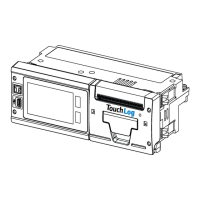
By touching the display, the user will enter the Main menu.
NNoottee:: If you are finding it difficult to access the menu - refer to “Touch
Screen,” p. 16. This is a capacitive touchscreen with 6 segmented
areas, if you touch between these areas, the screen may not be active.
BBaassiicc OOppeerraattiioonnss


 To Next Page