TK 61009-12-OP-EN
51
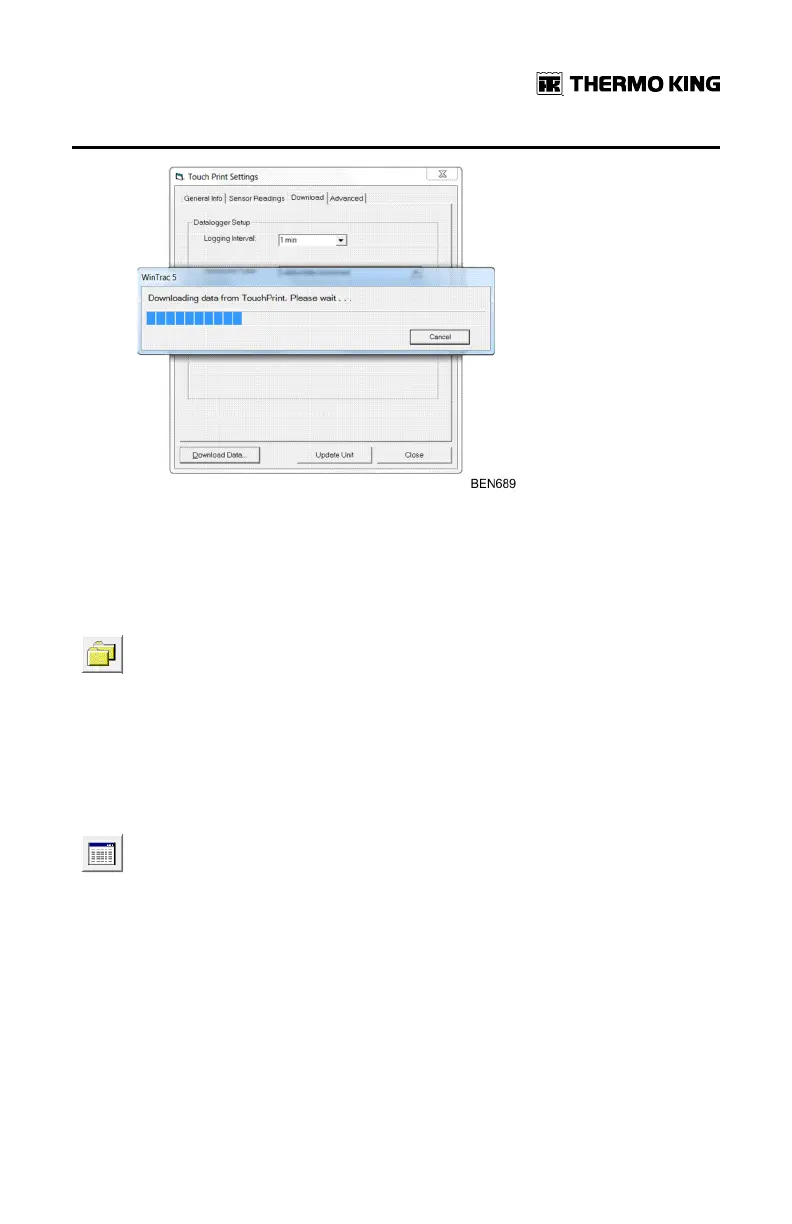
Once the download is complete, the data are saved in the Wintrac
folder with the file extension (.wtd)
View the Data in Graphical and Tabular View
The downloaded data are visible in graphical and tabular view. To
perform this operation, the user should close the Touch Print
Setting window and click on the open file button. Alternatively, the
user can select a file via the drop down menu file and choose the
option open file.
The user will browse the Wintrac folder to find the right TouchLog .wtd file
and the data will be displayed first in graphical format.
To view the same data in tabular form, the user will click on the
tabular data view icon.
For more information on how to use the Wintrac software interface and the
analytic tool available, please refer to the applicable Wintrac user manual
(on ESA InfoCentral), also available from the Wintrac Help Menu.
Exporting the Data to a USB Flash Drive
In reference to “Media Selection for Printing,” p. 34, the user can obtain a
soft copy of any ticket type in a pdf or txt format. To do so, only 2 parameters
needs to be setup in the TouchLog menu.
WWiinnttrraacc CCoommmmuunniiccaattiioonn aanndd DDaattaa EExxppoorrtt


 To Next Page