TK 61009-12-OP-EN
27
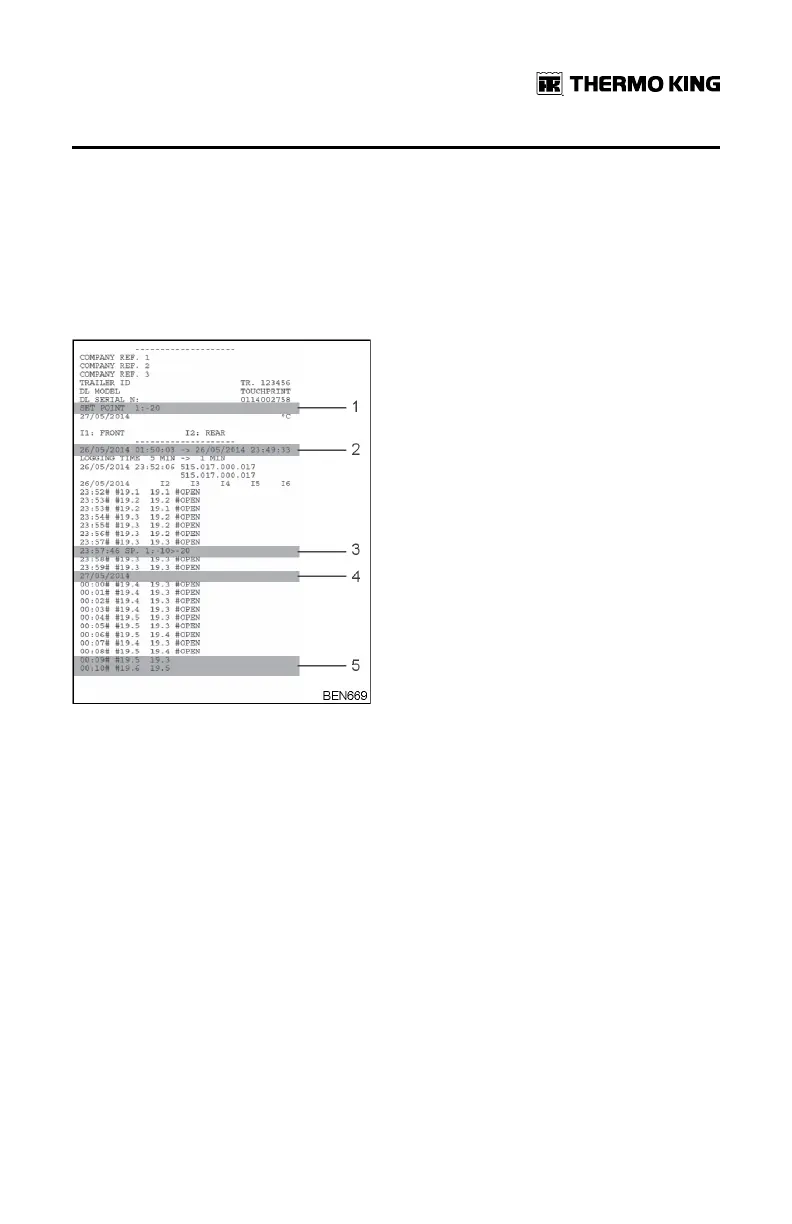
4. Change of setpoint
5. Power On event
6. Separate column for each Input (I2, I3 etc.)
7. # beside a time of logging and also for a particular input indicates an
alarm at this time for that input.
Figure 5. Sample Ticket
1. Setpoint in the header is the setpoint at the moment of printing the ticket.
2. Change of clock logged as an event with old time and new time.
3. Setpoint changes captured in the ticket.
4. Day change.
5. I3 has been disabled as input ‘door open’ and its recording disappears.
Enhancements Implemented with Firmware
515.029
• Improved graphical printing with sensor differentiation.
• Adjusting the Time and the Date option moved from User menu to
Service menu (to avoid unwanted time changes).
• Protocol for connection to the Razor TracKing module renamed from
TracKing to Razor (For TK BlueBox connection MODBUS is the protocol).
BBaassiicc OOppeerraattiioonnss



 To Next Page