Instruments
51
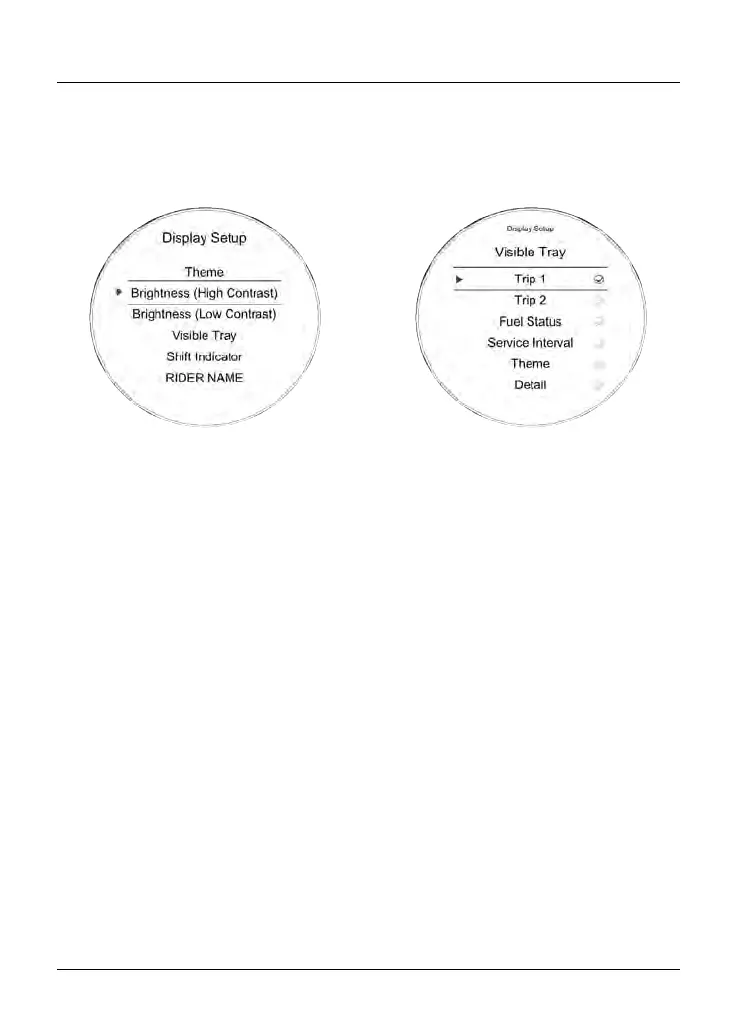
Display Setup - Brightness
The brightness feature allows the
screen’s brightness contrast to be
changed for day time and night time
riding.
There are two brightness options to
choose from; High Contrast and Low
Contrast.
To change the brightness level:
•
From the Display Setup menu,
push the joystick down to select
Brightness (High Contrast) or
Brightness (Low Contrast).
•
Push the joystick center to confirm.
• Push the joystick down/up to adjust
the brightness.
•
Press the joystick center to confirm
the required level of brightness.
•
Press the HOME button to return to
the main display.
Note
In bright sunlight, the brightness
settings will adapt to make sure that
the instruments can be viewed at all
times.
Display Setup - Visible Tray
The Visible Tray feature allows the
selection of required information tray
items to be shown in the instrument
panel display.
To select the Visible Tray menu:
• From the Display Setup menu, push
the joystick down to select Visible
Tray and press the joystick center
to confirm.
•
Push the joystick down/up until the
required information tray item is
selected.
•
Press the joystick center to select/
deselect the information tray item.
The options include:
–
Trip 1
– Trip 2
– Fuel Status
– Service Interval
– Theme
– Detail
– Contrast
– Coolant.










 To Next Page