Instruments
48
Trip Setup Menu
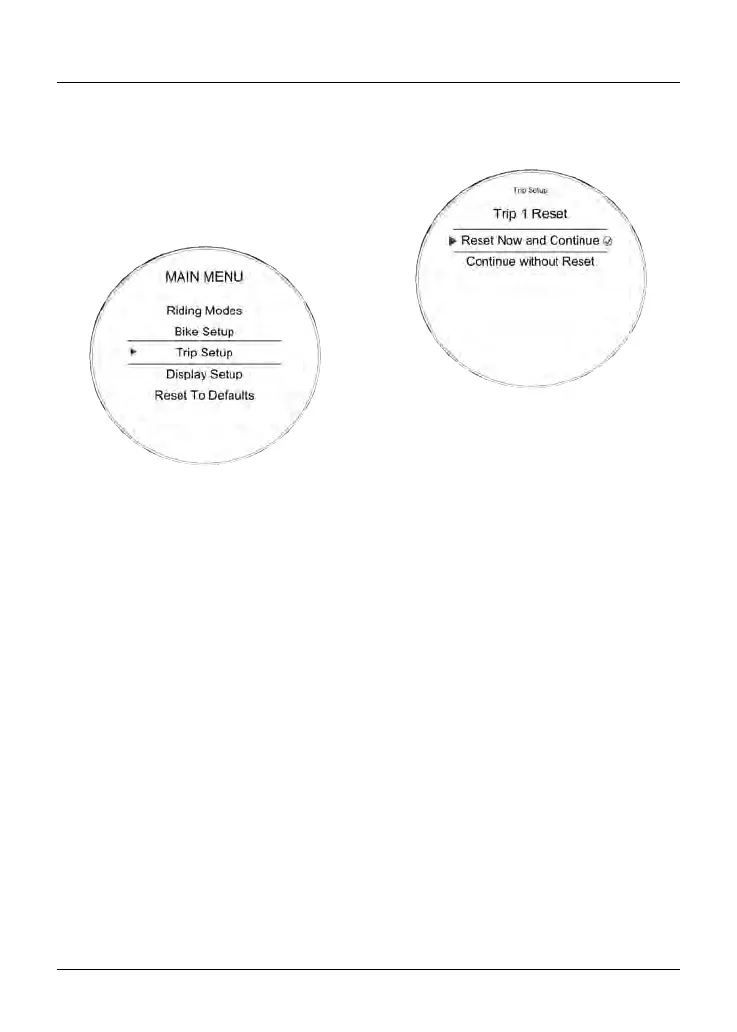
The Trip Setup menu allows
configuration of the trip meters. Each
trip meter can be configured to be reset
either manually or automatically. The
setup procedure is the same for both
trip meters.
To access the Trip Setup menu:
• Press the HOME button to display
the Main menu.
•
Push the joystick down and then
press the joystick center to select
Trip Setup.
The options available are:
•
Trip 1 Reset
• Trip 2 Reset
• Trip 2 Display.
Trip Setup - Manual Reset
This menu allows the manual reset of
each trip meter individually.
To set a trip meter manually:
• Push the HOME button to display
the Main Menu.
•
Push the joystick down and then
press the joystick center to select
Trip Setup.
•
Push the joystick down and then
press the joystick center to select
either Trip 1 Reset or Trip 2 Reset.
•
Push the joystick center to select
Manual.
There are two options available:
–
Reset Now and Continue -
Resets all trip meter data in the
relevant trip meter.
–
Continue without Reset - The
trip meter will not be reset.
•
Press the joystick center to confirm
the selection and return to the
previous menu.










 To Next Page