Instruments
45
Bike Setup Menu
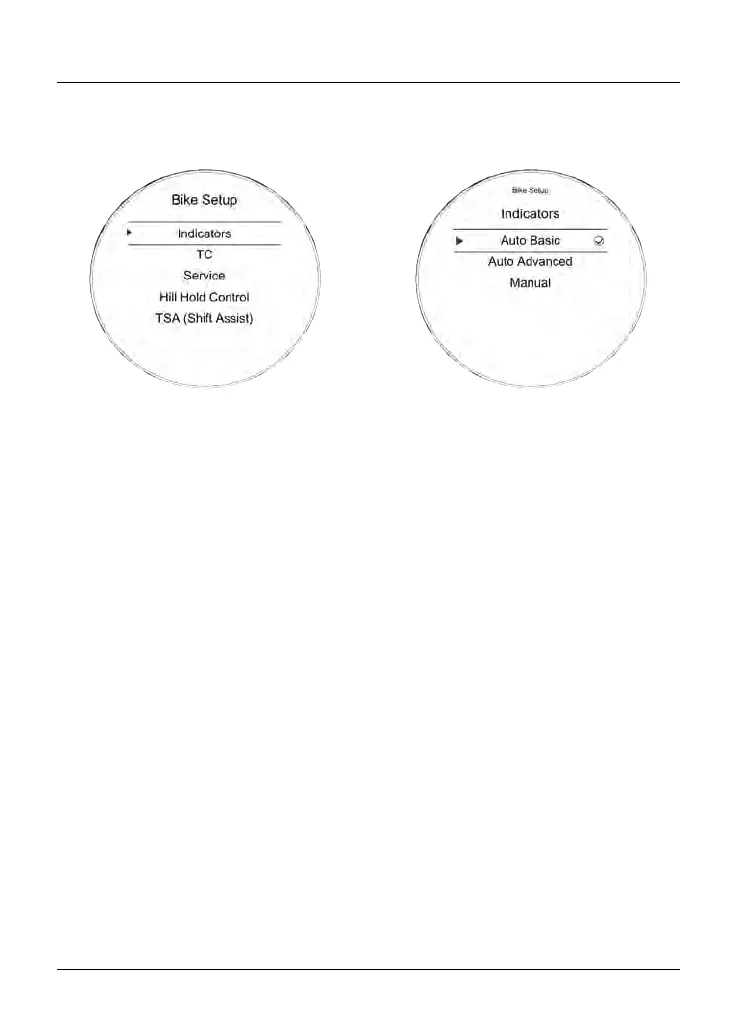
From the Main menu, select Bike Setup
and push the joystick button to confirm.
The Bike Setup menu allows access to
the following options:
•
Turn signals
• Traction Control (TC)
• Service
• Hill Hold Control
• Triumph Shift Assist (TSA).
Bike Setup - Turn Signals
The turn signals can be set to Auto
Basic, Auto Advanced or Manual mode.
To select the required turn signals mode:
• From the Bike Setup menu, push the
joystick down to select Turn Signals
and press the joystick center to
confirm.
•
Push the joystick down/up to scroll
between Auto Basic, Auto Advanced
or Manual.
–
Auto Basic - The self-canceling
function is on. The turn signals
will activate for eight seconds
and an additional 71 yards
(65 meters).
– Auto Advanced - The self-
canceling function is on. A short
press activates the turn signals
for three flashes. A longer press
activates the turn signals for
eight seconds and an additional
71 yards (65 meters).
– Manual - The self-canceling
function is off. The turn signals
must be manually canceled
using the turn signal switch.










 To Next Page