Instruments
56
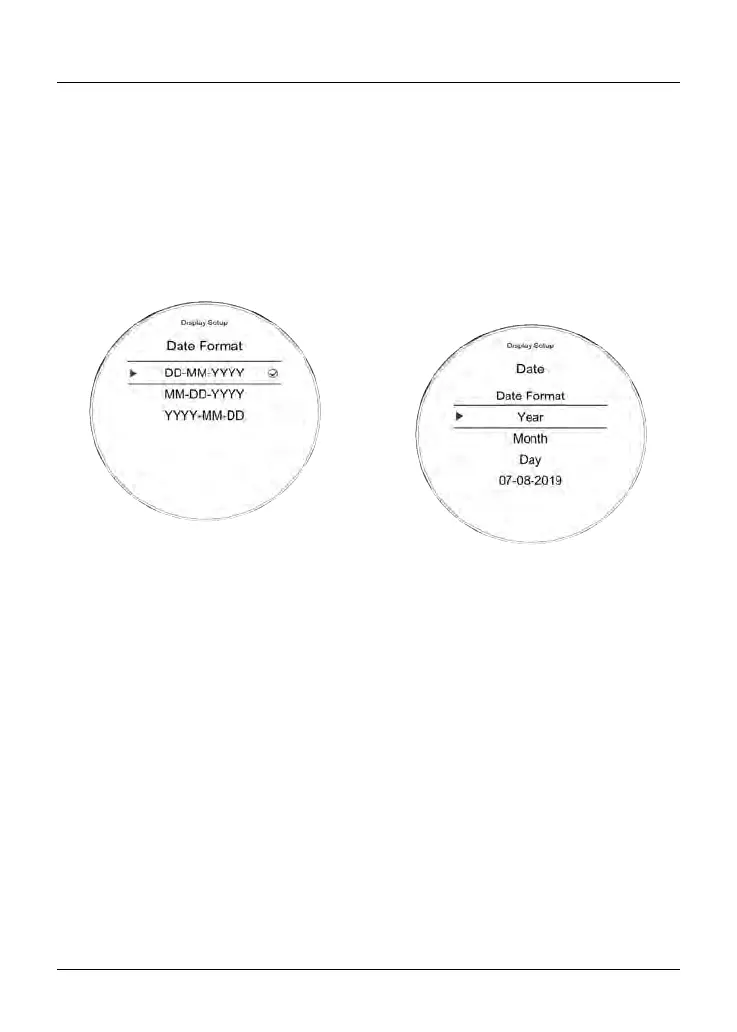
Display Setup - Date
This function allows the adjustment of
the date and date format.
To set the date format:
•
From the Display Setup menu, push
the joystick down to select Date and
press the joystick center to confirm.
•
Press the joystick center to display
Date Format.
• Push the joystick down/up to select
the required date format.
The following options are available:
–
DD-MM-YYYY
– MM-DD-YYYY
– YYYY-MM-DD.
Press the joystick center to confirm
the selection. Once the date format
is set the display will return to the
Date menu.
To set the date, push the joystick down/
up to select the Year, Month and Day.
•
Select Year and then press the
joystick center, a tick will appear
next to the Year and the Year
display will flash.
•
Push the joystick down/up to set
the current year and then press the
joystick center to confirm.
•
To set the Month and Day repeat
the procedure used to set the year.
Once the date is set the display will
return to the Date menu.










 To Next Page