44 TX9165-UM-EN-07
4.2.2.2 Minmax View
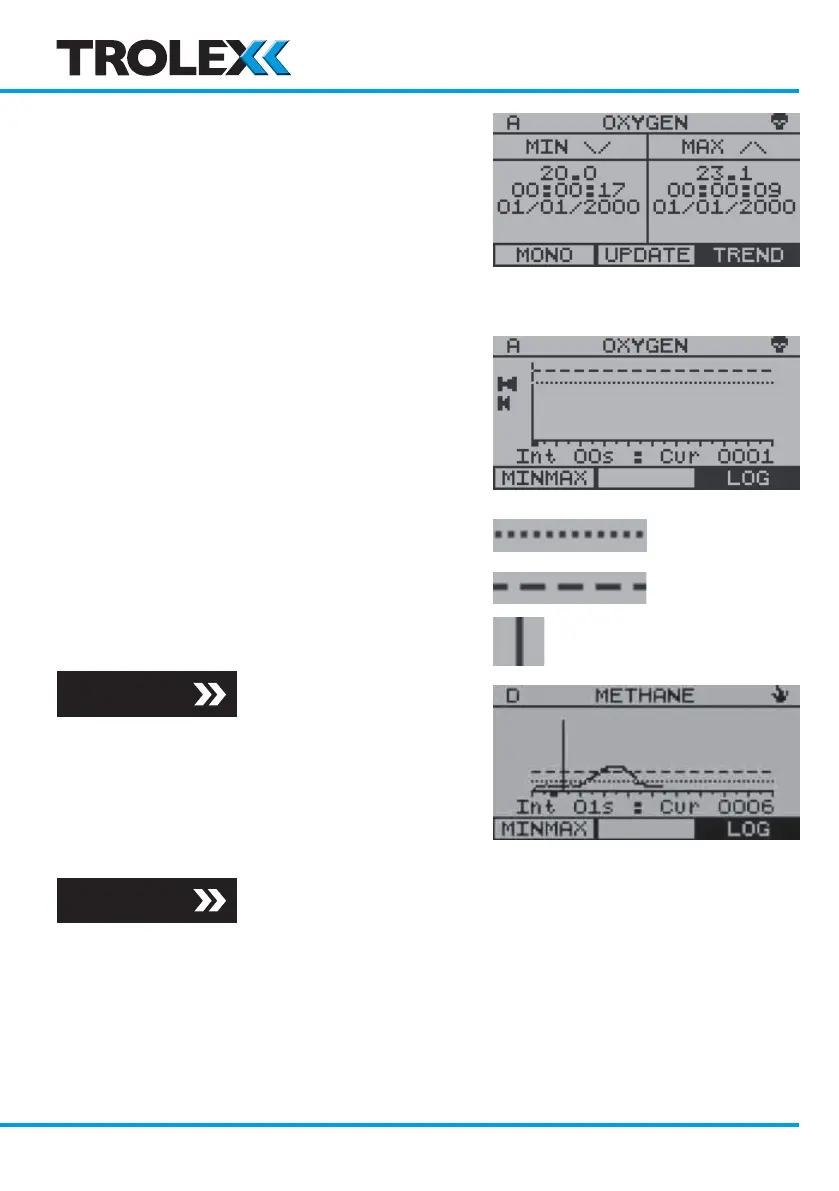
The Minimum and Maximum value that the
signal has reached since last updated with
time and date stamp.
To update the values displayed, use the
navigation keypad to scroll to Update and
select OK.
4.2.2.3 Trend View
The display field displays 100 logged readings
and will jump forward in lots of ten.
Total maximum logged readings 1 to 4000.
• Setpoint 1 (SP1) (General alarm)
• Setpoint 2 (SP2) (High alarm)
• Trend cursor
To Review the Trend
Use the navigation keypad, scroll up or down
to review the Trend and select OK to view
the Log values at the current trend cursor
position. Select OK to return to Trend.
Section 4.2.2.4
Section 4.2.2.4
www.trolex.com


 To Next Page