MODEL 3587 - 22 -
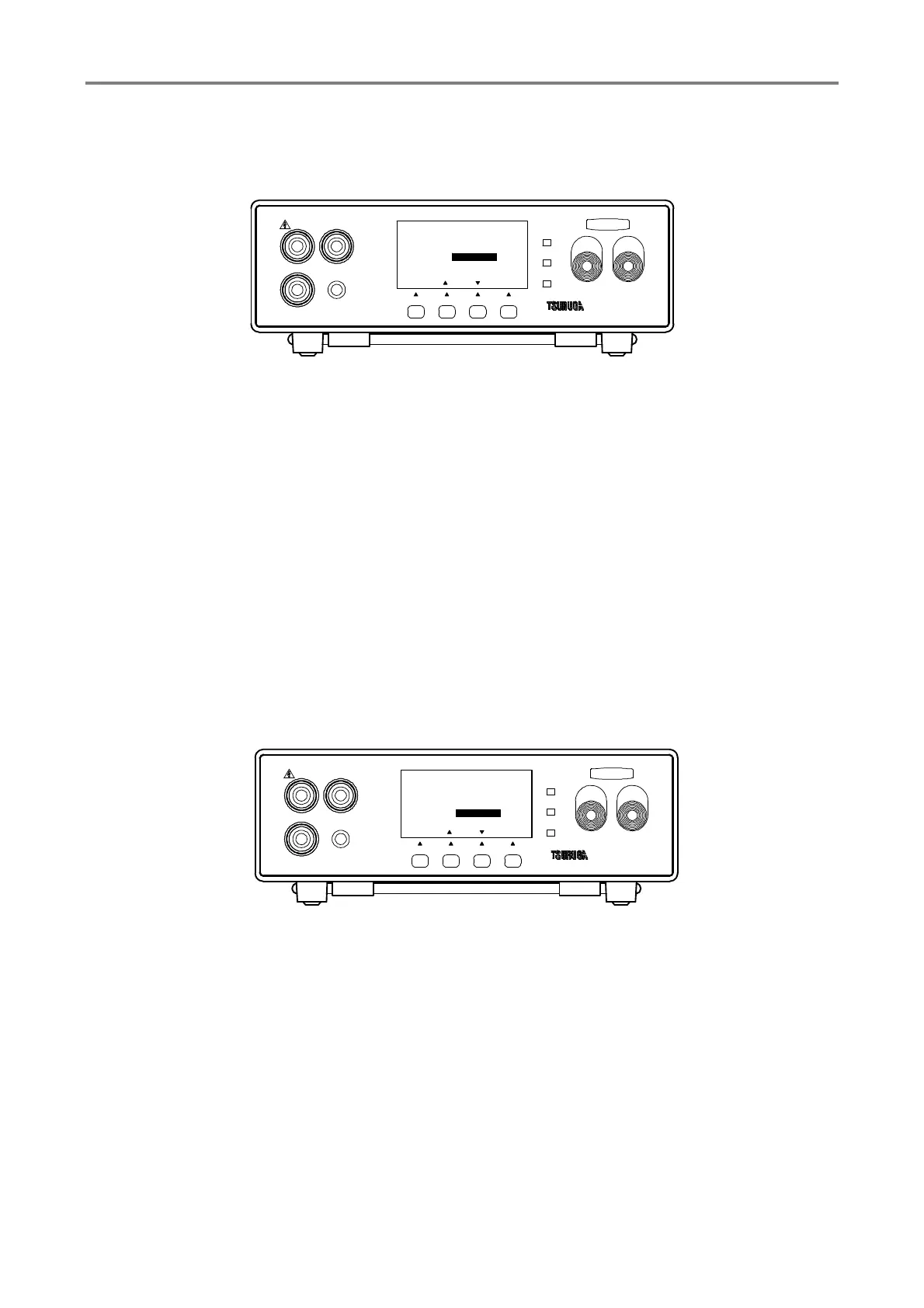
3.8.3 Sampling rate setting
measurement cycle is set.
① Press F1 [SEL] key to select GENERAL SET and press F4 [ENT] key to enter it.
Press F1 [SEL] key to select the SAMPLING
② Press F2 [▲], F3 [▼] key.to select SLOW/FAST
SLOW : When measurement cycle is set to 100ms.
FAST : When measuring cycling is set to 20ms and 16.7ms during power supply
frequency setting of 50Hz and 60Hz respectively.
Adjust the frequency setting according to the power supply mentioned on
section 3.8.4
③ Press F4 [ENT] to memorize the setting and the display returns to measuring mode.
To continue the other setting, select the items that you want to change by pressing F1
[SEL]
3.8.4 Frequency setting of power supply
Frequency setting method in instrument according to power supply is explained here.
① Press F1 [SEL] key to select GENERAL SET by and press F4 [ENT] key to enter it.
Select POWER FRQ by F1 [SEL] key.
② Press F2 [▲], F3 [▼] key to select 50Hz or 60Hz.
60Hz : Set 60Hz when frequency of AC power supply is 60Hz.
50Hz : Set 50Hz when frequency of AC power supply is 50Hz.
Stable measurement can be obtained by choosing the right frequency
according to the frequency of the supply power source.
③ Press F4 [ENT] to memorize the setting and the display returns to measuring mode.
To continue the other setting, select the items that you want to change by pressing F1
[SEL].
HIGH
GOOD
LOW
START STOP
3587MODEL
LOW
REMOTE
GUARD
HIGH
F3F2F1
[ENT]
1/3
[][]
REMOTE
EXT.CTRL
SAMPLING
POWER FRQ 50Hz
MANUAL
OFF
SLOW
GENERAL SET
TEST
[ SEL ]
F4
HIGH
GOOD
LOW
START STOP
3587MODEL
LOW
REMOTE
GUARD
HIGH
F3F2F1
[ENT]
1/3
[][]
REMOTE
EXT.CTRL
SAMPLING
POWER FRQ
MANUAL
OFF
SLOW
50Hz
GENARAL SET
TEST
[ SEL ]
F4



 To Next Page