2 The status LED displays the phone connection status. Incoming calls
and new voice mails are visually signalled via the notification LED.
3 The display shows information during telephone operation (three lines
with up to 32 characters each).
4 The programmable function keys can be set to various functions.
5 The dialpad can be used to enter phone numbers and write text.
6 The navigation keys help you navigating through the various phone func-
tions, applications and configuration menus.
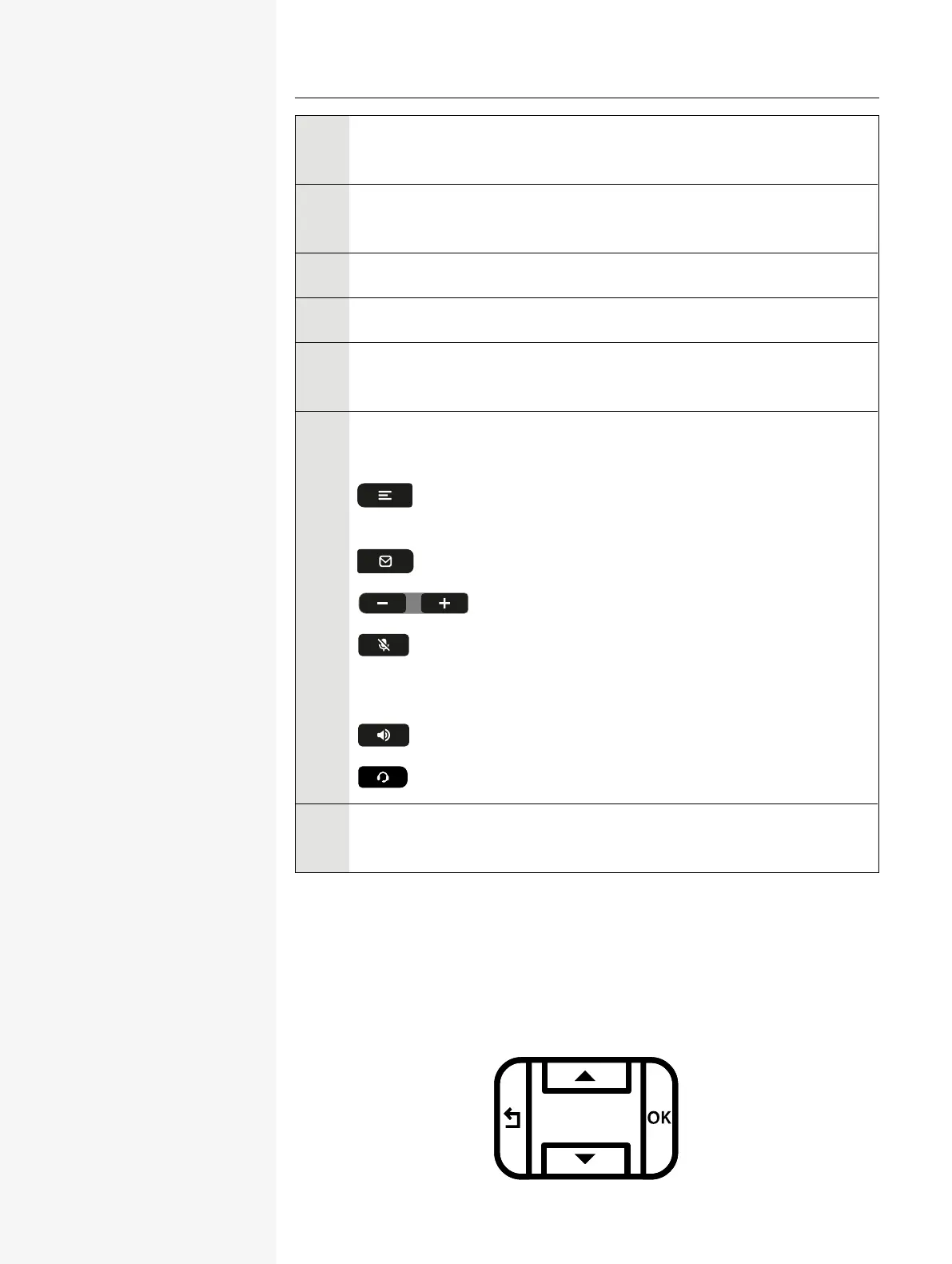
7 The function keys (non-programmable) are assigned to the following
functions:
: Provides access to the user menu for locally controlling the
phone settings.
: Allows voice mails to be managed.
: Increases or decreases the speaker or headset volume.
: Activates or deactivates the microphone. This prevents the
other party from listening in, e.g. when consulting with someone else in
the room or in case of background noise.
: Activate or deactivates the speakerphone during an active call.
: Activates or deactivates the headset.
8 You can interact with calls with the microphone even when the handset
is hung up.
NAVIGATION KEYS
This control allows you to move between input fields and navigate in lists and
menus.
Getting to know the Desk Phone CP110 15














 To Next Page